Step-by-step: let Claude Code drive a real browser for you with agent-browser, from login to export图文教程:用 agent-browser 让 Claude Code 替你操作真实浏览器,从登录到导出一遍跑通
Follow along: install the CLI, hook it into Claude Code, drive login, scraping and export with natural-language instructions, then learn to review snapshots and recordings.
跟着做一遍:装好命令行 → 接入 Claude Code → 用自然语言下指令完成登录、抓取与导出 → 学会看快照与录屏复盘。
Step 1: install and connect第一步:安装并接入
On Windows, download the agent-browser executable below, put it in any folder and add that folder to your PATH; or just run it on the fly with npx agent-browser.
In Claude Code, say: "Install agent-browser from https://github.com/vercel-labs/agent-browser" and confirm the skill installation when prompted.
After installation, ask it to run agent-browser --version; a version number means everything is wired up.
Windows 用户下载本文的 agent-browser 可执行文件,放到任意目录并把该目录加入 PATH;也可以直接 npx agent-browser 临时运行。
在 Claude Code 里说:「Install agent-browser from https://github.com/vercel-labs/agent-browser」,按提示确认安装技能。
装完让它执行 agent-browser --version,能出版本号说明链路已通。
Step 2: one-sentence login第二步:用一句话完成登录
State the goal and grant permission: "open https://example.com, log in with the account saved in my environment variables, then screenshot the page".
It decomposes the task into open, fill, click and snapshot commands and runs them step by step — every action is visible in your terminal.
For sites with CAPTCHA or two-factor login, have it pause at that step, complete it manually, then let it continue.
把目标说清楚并允许它操作:「打开 https://example.com,用我保存在环境变量里的账号登录,登录后截图给我看」。
它会把任务拆成 open、fill、click、snapshot 等命令逐步执行,每一步你都能在终端看到。
涉及验证码或双重验证的站点,让它停在那一步等你手动完成,再让它继续。
Step 3: scrape and export第三步:抓数据并导出
Ask for a snapshot extraction: "pull the title, price and link from every row of this list page into JSON".
For pagination, just say "keep extracting through page 5" — it loops and merges the results.
Finally, have it save the JSON to a file, or emit a Markdown table you can paste straight into your docs.
让它读取页面快照:「把列表页每一行的标题、价格、链接提取成 JSON」。
翻页场景直接说「翻完前 5 页继续提取」,它会循环执行并合并结果。
最后让它把 JSON 存成文件,或直接生成 Markdown 表格贴进你的文档。
Step 4: review and debug第四步:复盘与排错
If results look wrong, ask for an element snapshot and check whether the selector picked what you expected.
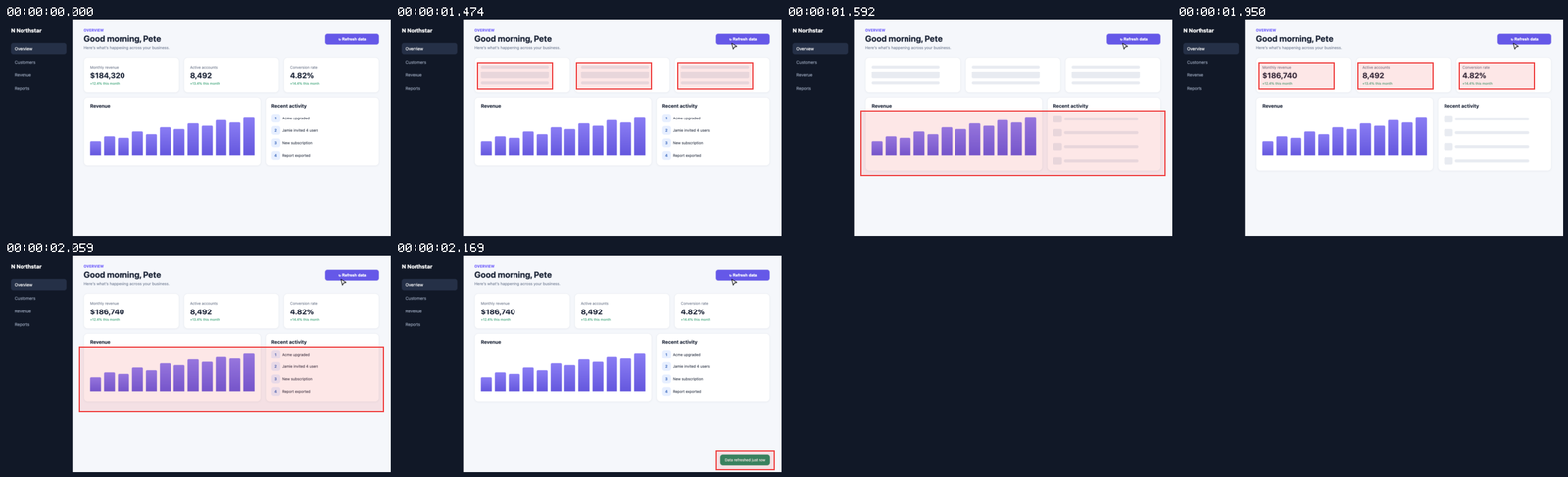
Use the built-in recording to replay the whole run and spot the failing action.
For long jobs, hand the agent small chunks and confirm each before continuing — far more reliable than one giant instruction.
结果不对时让它输出元素快照(snapshot),检查选择器定位到的内容是否符合预期。
用它内置的录屏回看整个过程,找到出错的那个动作。
长任务建议分小段交给智能体,每段确认后再继续,成功率远高于一次丢给它全部流程。
Use reminder使用提醒
This article is compiled from public sources and ships with the matching resource. Product features and pricing are subject to the official page. Resources are for learning and exchange only — please respect the original license.
本文整理自公开资料并附上配套资源;涉及产品的功能与价格以官方页面为准。资源仅供学习交流,请遵循来源许可。
想马上用起来?去「AI工具」栏挑一个直接下载,或在「AI教程」里跟着图文步骤做一遍。
去 AI工具 → 看 AI教程 →阅读与点赞数据保存在你的浏览器本地,欢迎留下你的想法。
 今日正能量学一点,用一点;今天种下的种子,会长成明天的能力。去免费下载专区 →广告
评论 文明发言,让讨论更有价值