Graphic tutorial: Half an hour to ride your own free big model gateway and let Claude Code/Cursor/Aider all go local/v1图文教程:半小时搭完自己的免费大模型网关,让 Claude Code / Cursor / Aider 全部走本地 /v1
This tutorial takes you from scratch to running FreeLLMAPI: start the service locally, fill in the keys of several free vendors, then point Claude Code to your own endpoint with a command, and finally verify that the routing and automatic demotion really work with a script. There is no need to buy any paid APIs during the whole process, the only thing to do is to go to each official website to collect free credits.
这篇教程带你从零把 FreeLLMAPI 跑起来:先把服务起在本地,再把几家免费厂商的 Key 填进去,然后用一条命令把 Claude Code 指到你自己的端点,最后用一个脚本验证路由和自动降级真的生效。全程不需要买任何付费 API,唯一要做的是去各家官网领免费额度。
Step 1: Run the service第一步:把服务跑起来
First, make sure that Docker (or Node.js 20 or above, both ways are OK) is installed on the machine. Windows users remember that virtualization and WSL2 are enabled.
Unzip the FreeLLMAPI source code package downloaded from the "AI Tools" section of this site and enter the repository root directory.
Recommended to take the Docker route: Start according to the docker compose configuration in docs/en/install/01-install.md, and the service listens to the local port 3001 by default.
After launching, the browser visits http://localhost: 3001 and can see that the service is normal. The first time you come in is an empty directory because you don't have any keys yet.
先确认本机装了 Docker(或 Node.js 20 以上,两条路都行),Windows 用户记得启用了虚拟化与 WSL2。
把本站「AI工具」栏目下载的 FreeLLMAPI 源码包解压,进入仓库根目录。
推荐走 Docker 路线:按 docs/en/install/01-install.md 里的 docker compose 配置启动,服务默认监听本地 3001 端口。
启动后浏览器访问 http://localhost:3001,能看到面板说明服务正常。第一次进来是空目录,因为还没有任何 Key。
Step 2: Claim your free credit and fill in the Key第二步:领免费额度并填入 Key
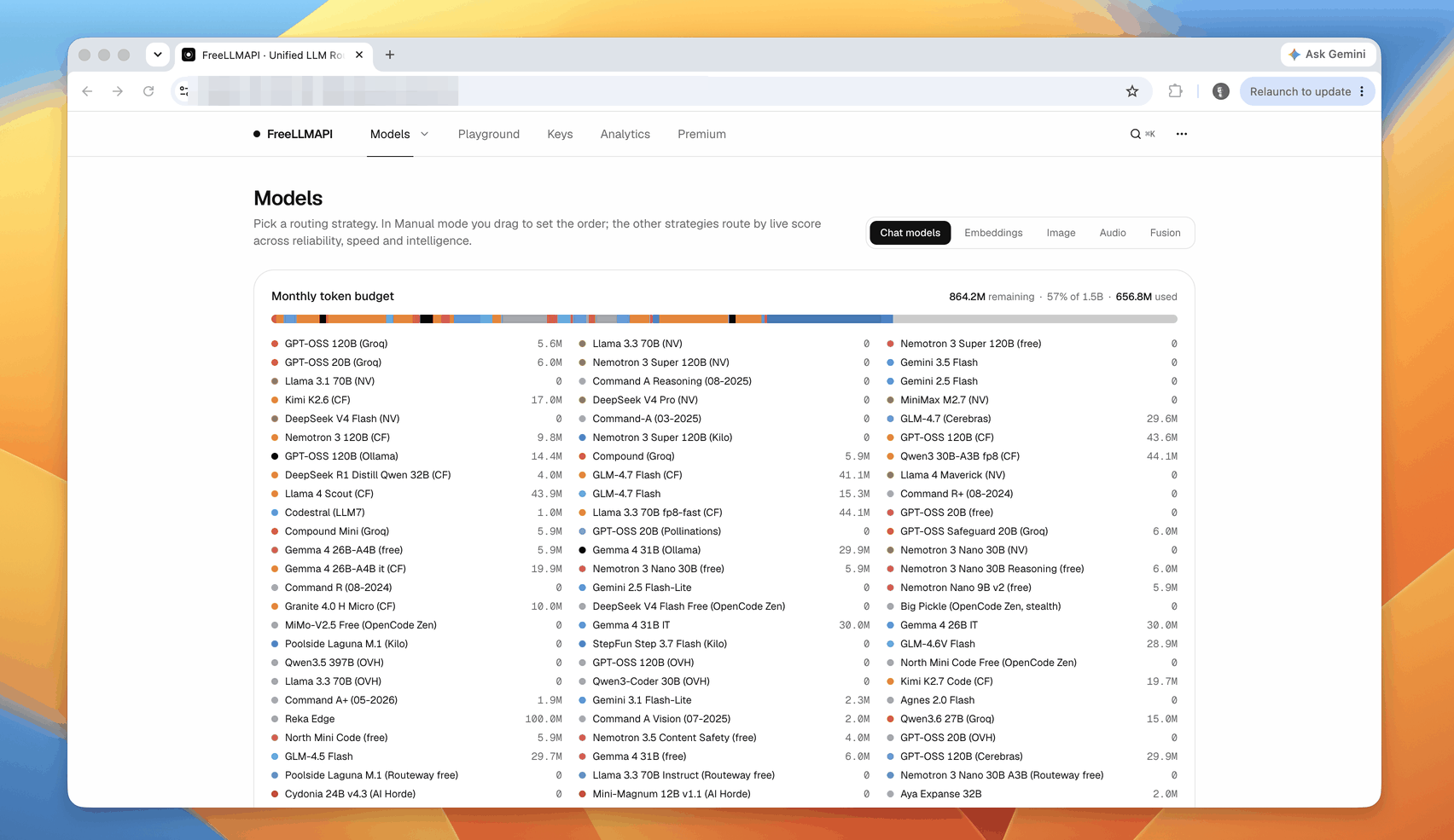
Register and generate API Keys from some of the most accessible vendors with free credits: Google (AI Studio), Groq, Cerebras, Mistral, OpenRouter, Cloudflare Workers AI, Cohere, Smart Spectrum Z.ai, NVIDIA NIM. It is recommended to have at least 3 homes, otherwise there is no point in automatically downgrading.
Go back to the Keys page of http://localhost: 3001 and fill in the Keys one by one. After filling in, the router will pull up the list of available models of the vendor, and you will see the number of endpoints rubbing against the increase.
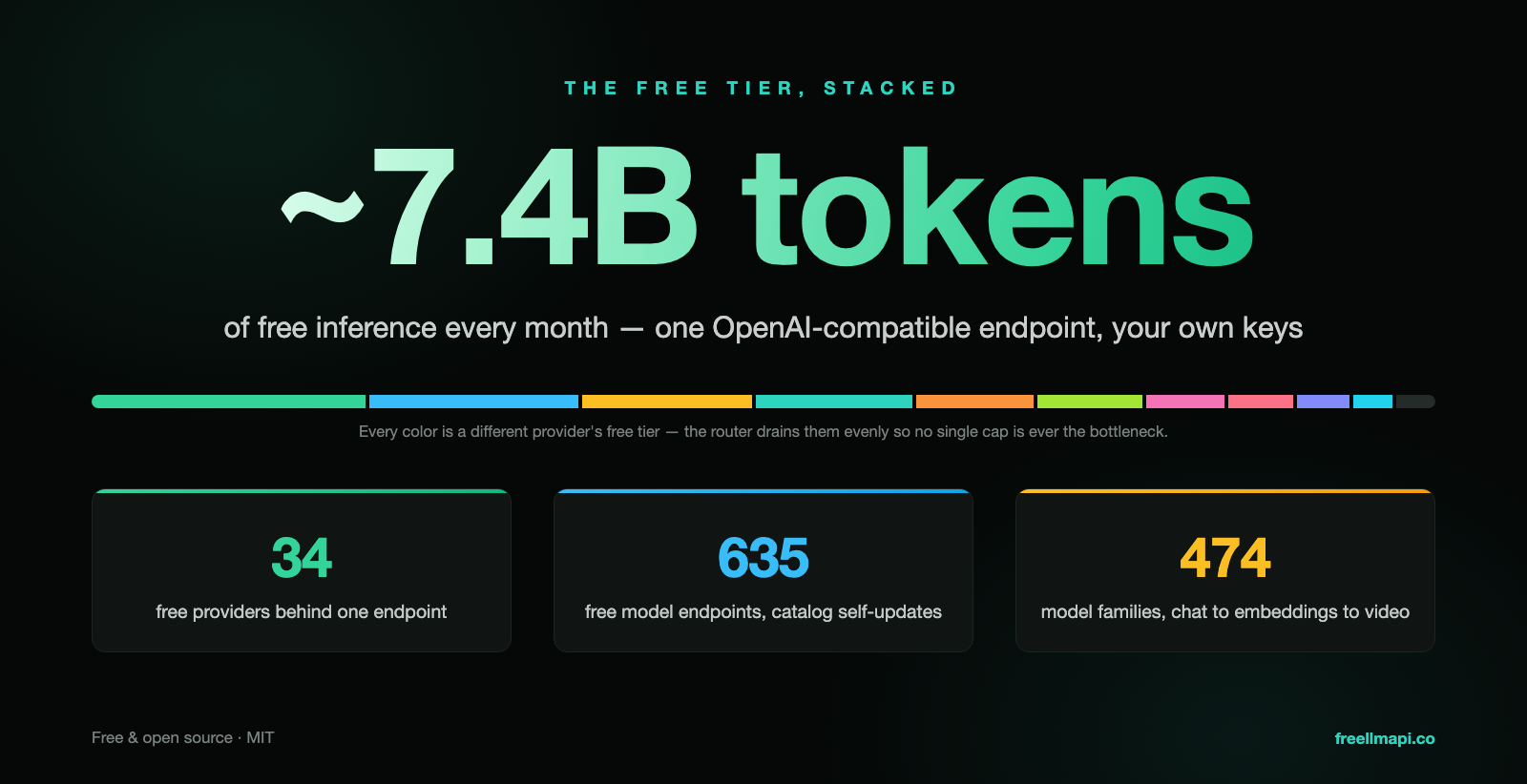
Continue to add more credits if you want: there are more than 30 listed in README, and the official directory page can check the current limit, context window and free token budget of each model.
If you have already run Ollama locally, you can add a custom vendor on the Keys page and point the endpoint to http://localhost: 11434, so that the local model will also enter the routing pool and still have a pocket when the network is completely disconnected.
去几家最容易拿到免费额度的厂商注册并生成 API Key:Google(AI Studio)、Groq、Cerebras、Mistral、OpenRouter、Cloudflare Workers AI、Cohere、智谱 Z.ai、NVIDIA NIM。建议至少凑够 3 家,否则自动降级没有意义。
回到 http://localhost:3001 的 Keys 页面,逐家填入 Key。填入后 router 会去拉取该厂商的可用模型列表,你会看到端点数量蹭蹭往上涨。
想要更多额度就继续加:README 里列了 30 多家,官方目录页可以查每个模型的限流、上下文窗口和免费 token 预算。
如果你本地已经跑了 Ollama,可以在 Keys 页面加一个自定义厂商,把端点指向 http://localhost:11434,这样本地模型也会进入路由池,完全断网时仍有兜底。
Step 3: Connect the coding agent to your endpoint第三步:把编码智能体接到你的端点
Open the terminal, execute the configuration command, and point Claude Code to the local service: npx freellmapi setup-claude --url http://localhost: 3001 --api-key The unified key you generated in the panel.
This command will backup your existing configuration file first, and then merge the new base URL with the key, without overwriting the original other settings; you can restore the backup at any time if you are not satisfied.
Other tools have the same approach: Cursor, Cline, Roo Code, Aider, Continue, etc. only need to change the base URL to a local address, replace the Key with a unified key, and the protocol can be kept OpenAI compatible.
If you want to run the Codex CLI, note that it uses the/v1/responses endpoint, and the FreeLLMAPI has been natively implemented; the Gemini CLI can use/v1beta.
打开终端,执行配置命令,把 Claude Code 指到本地服务:npx freellmapi setup-claude --url http://localhost:3001 --api-key 你在面板里生成的统一密钥。
这条命令会先备份你已有的配置文件,再把新的 base URL 与密钥合并进去,不会覆盖原来的其他设置;不满意可以随时还原备份。
其他工具的接法同理:Cursor、Cline、Roo Code、Aider、Continue 等都只需要把 base URL 改成本地地址、把 Key 换成统一密钥,协议保持 OpenAI 兼容即可。
如果要跑 Codex CLI,注意它用的是 /v1/responses 端点,FreeLLMAPI 已经原生实现;Gemini CLI 则可以用 /v1beta。
Step 4: Verify routing and automatic downgrade第四步:验证路由与自动降级
First confirm the link with the simplest request: curl http://localhost: 3001/v1/models should return a long list of available models, depending on how many Keys you fill in.
Type the dialog request again, leave the model blank (or fill in auto), let it pick its own; the return value will take the actual manufacturer and which model.
To see the effect of demotion, you can deliberately correct the Key of a vendor, and then make several requests; the log of the panel should automatically cut to the next house after 429 or 5xx, and the request still returns successfully.
Finally, go to the dosage page of the panel to see the statistics: the number of calls and consumption of each Key will be recorded. According to the free quota comparison announced by the manufacturer, you can know how far you are from the explosion quota.
先用最简单的请求确认链路通:curl http://localhost:3001/v1/models 应该返回一长串可用模型列表,数量取决于你填了几家 Key。
再打一次对话请求,把 model 留空(或填 auto),让它自己挑;返回值里会带上实际命中哪家厂商与哪个模型。
想看降级效果,可以故意把某一家厂商的 Key 改错,然后连打几次请求;面板的日志里应出现 429 或 5xx 后自动切到下一家的记录,请求仍然成功返回。
最后去面板的用量页看统计:每个 Key 的调用次数与消耗都会被记录,照着厂商公布的免费额度比对,就能知道自己离爆额度还有多远。
Step 5: Advanced Play and Closing第五步:进阶玩法与收尾
Try Fusion multi-model synthesis: Request the virtual model fusion, and the router will send the same question to multiple free models in parallel, and then the referee model will synthesize it into an answer, which is suitable for judgment questions that need cross-validation.
Solidify the common configuration: Save this set of base URLs as the default configuration in the client, and do not re-match it the next time you open a new project.
Pay attention to two things in long-term maintenance: First, do not use unstable free keys on key production processes; second, pay attention to the terms of each manufacturer, and the free quota is usually prohibited for resale or large-scale commercial use.
If you want the model catalog to always be up-to-date, the paid version of the project ($19/year) can synchronize the real-time catalog on the same day; the free version gets a monthly snapshot, which is generally enough for daily use.
试试 Fusion 多模型合成:请求虚拟模型 fusion,router 会把同一个问题并行发给多个免费模型,再由裁判模型综合成一份答案,适合需要交叉验证的判断类问题。
把常用配置固化下来:在客户端里把这套 base URL 存成默认配置,下次开新项目不用重配。
长期维护注意两件事:一是别把不稳定的免费 Key 用在关键生产流程上;二是留意各厂商条款,免费额度通常禁止转售或大规模商用。
如果你希望模型目录始终是最新的,项目有付费版(19 美元 / 年)可以当天同步实时目录;免费版拿到的是月度快照,日常使用一般够用。
Use reminder使用提醒
The accompanying resource for this tutorial is the FreeLLMAPI source code package, see the "AI Tools" section of this site. When aggregating free credits, please abide by the terms of service and rate limits of each vendor; please use a separate, revocable key at any time, and keep the local configuration. The operation steps in this document are organized from the project public documents. The specific commands may be adjusted with the version update. Please refer to the latest README of the repository. Resources are for learning exchanges only and are subject to project mit permission.
本教程配套资源为 FreeLLMAPI 源码包,见本站「AI工具」栏目。聚合免费额度时请遵守各家厂商的服务条款与速率限制;密钥请使用独立、可随时吊销的 Key,并妥善保管本地配置。文中操作步骤整理自项目公开文档,具体命令可能随版本更新而调整,请以仓库最新 README 为准。资源仅供学习交流,遵循项目 MIT 许可。
本篇为图文教程,直接按步骤操作即可,无需下载文件。
阅读与点赞数据保存在你的浏览器本地,欢迎留下你的想法。
 今日正能量学一点,用一点;今天种下的种子,会长成明天的能力。去免费下载专区 →广告
评论 文明发言,让讨论更有价值