MCP for Blender: Let AI directly take over Blender and create 3D scenes in one sentence (30,000 Star open source plug-in)MCP for Blender:让 AI 直接接管 Blender,一句话建出 3D 场景(3 万 Star 开源插件)
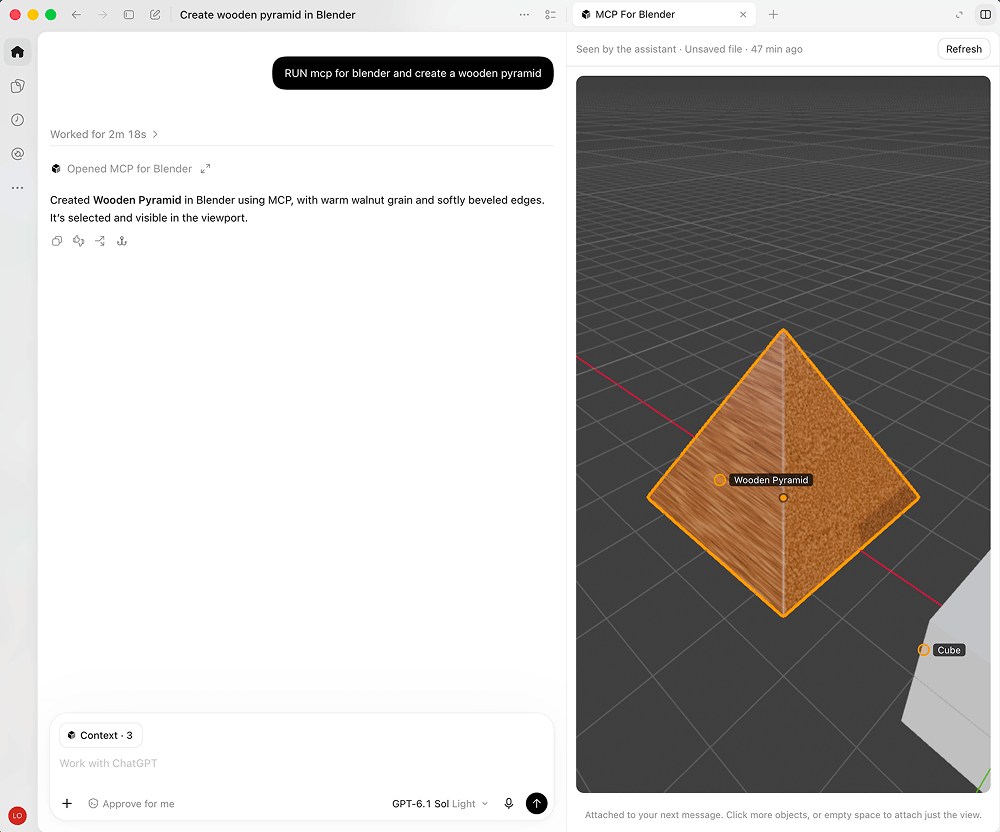
It has 30,000 stars on GitHub and has long dominated the 3D and AI tool list. It is a Blender plug-in plus an MCP server: after installing it, you say in Chinese in Claude, Cursor, and Codex "Make a dungeon scene, with a dragon guarding the treasure chest." The AI will model, add materials, lighting, and adjust the camera in Blender itself, and it can also send back screenshots at any time to check whether it is done correctly. In addition to do-it-yourself modeling, it can also directly adjust the free model libraries of Poly Haven, Sketchfab, and Poly Pizza, as well as Vincent 3D interfaces such as Hyper3D and Tencent Hunyuan 3D.
GitHub 3 万 Star、长期霸榜 3D 与 AI 工具榜。它是一个 Blender 插件加一个 MCP 服务端:装好之后,你在 Claude、Cursor、Codex 里用中文说「做一个地下城场景,有条龙守着宝箱」,AI 就自己在 Blender 里建模、加材质、布光、调相机,还能随时回传截图核对做得对不对。除了自己动手建模,它还能直接调 Poly Haven、Sketchfab、Poly Pizza 的免费模型库,以及 Hyper3D、腾讯混元 3D 这类文生 3D 接口。
What exactly does it do for you?它到底帮你做什么
Two-way communication: Blender runs a socket server, and the AI client sends commands through the MCP protocol. The two parties can talk back and forth, instead of being disconnected after executing one command.
Object and material operations: creating, modifying, deleting 3D objects, applying and adjusting materials and colors are all done by AI writing in Blender Python; it also supports multiple "visual verification" views such as multi-angle, camera, wireframe, X-ray, animation storyboard, and rendering result return, allowing AI to check its own work.
双向通信:Blender 里跑一个 socket 服务端,AI 客户端通过 MCP 协议发指令,双方可以来回对话,而不是一条命令执行完就断线。
对象与材质操作:创建、修改、删除 3D 物体,套用与调整材质、颜色,都交给 AI 写 Blender Python 完成;同时支持多角度、相机、线框、X 光、动画分镜等多种「视觉核验」视图加渲染结果回传,让 AI 自己检查自己的工作。
Use the free model library directly without API Key免费模型库直接用,不用 API Key
Poly Haven: About 2,400 HDRIs, textures and models, all CC0, no account, no Key, no speed limit, just check it in the sidebar of the 3D view to use it.
Poly Pizza: About 10,600 free low-polygon models (including rescued Google Poly archives), each of which is a single glb, suitable for game-style materials; apply for a free Key and fill it in, you can search for "chair" and import it by 1 meter high. The Sketchfab model library also supports it, just use your own Key.
Poly Haven:约 2400 个 HDRI、贴图与模型,全部 CC0,不需要账号、不需要 Key、没有限速困扰,在 3D 视图侧边栏勾选即可用。
Poly Pizza:约 10600 个免费低多边形模型(含被抢救下来的 Google Poly 存档),每个都是单体 glb,适合游戏风素材;免费申请一个 Key 填进去就能搜「椅子」然后按 1 米高导入。Sketchfab 模型库也支持,用自己的 Key 即可。
Supported AI clients支持的 AI 客户端
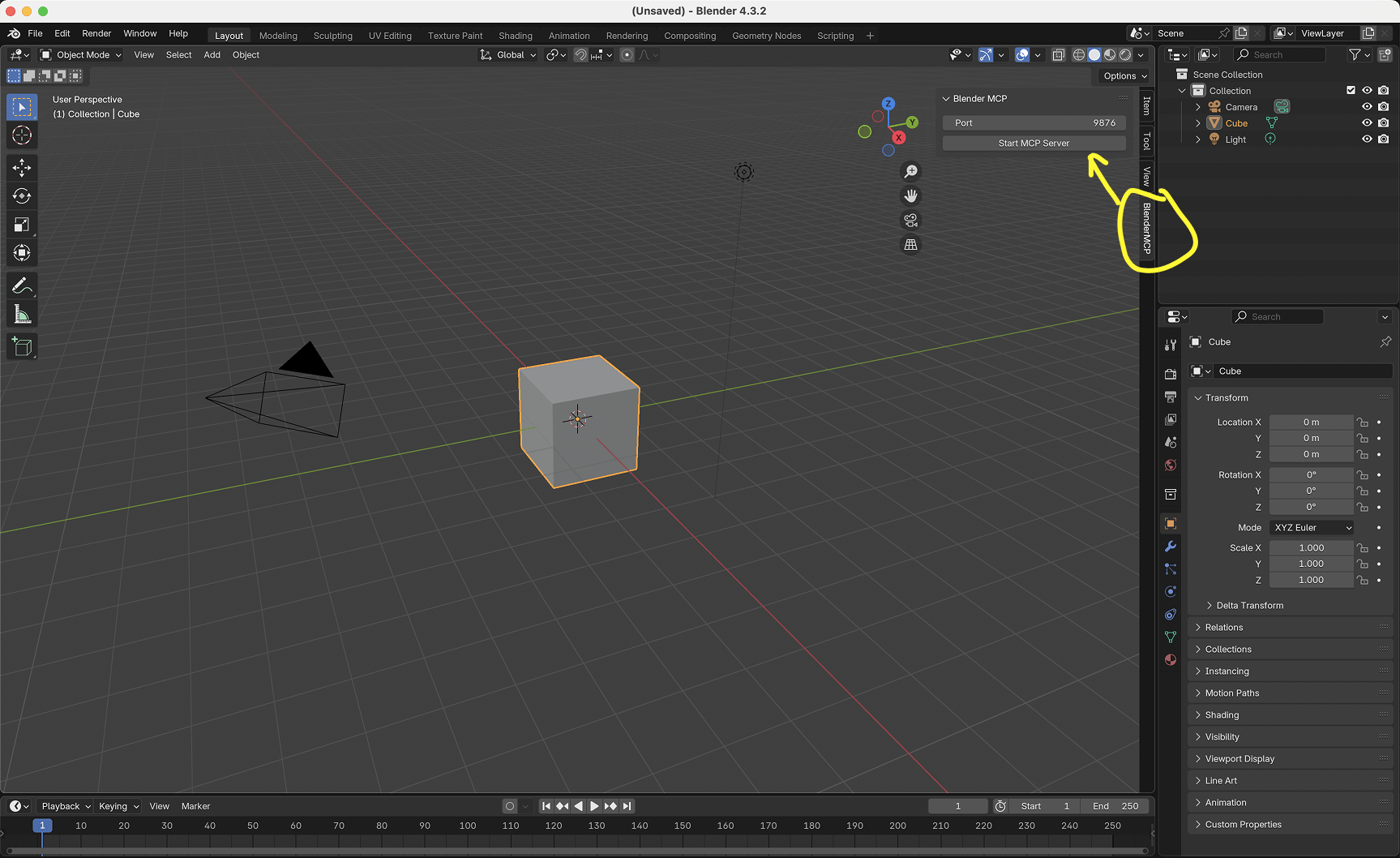
Claude Desktop, Claude Code, OpenAI Codex, Cursor, VS Code, Windsurf (Devin Desktop), OpenCode, and Antigravity can all be connected; the official one-click installation script will automatically scan which clients are installed on your machine and let you check which ones to configure.
Note that only one MCP server instance is running at the same time (for example, only Cursor or only Claude Desktop is open) to avoid both parties grabbing the same connection.
Claude Desktop、Claude Code、OpenAI Codex、Cursor、VS Code、Windsurf(Devin Desktop)、OpenCode、Antigravity 都能接;官方一键安装脚本会自动扫描你机器上装了哪些客户端,让你勾选要配置哪些。
注意同一时间只跑一个 MCP 服务端实例(比如只开 Cursor 或只开 Claude Desktop),避免两边抢同一个连接。
Download instructions下载说明
The download button provides the complete source code package (about 0.95 MB) of the main branch of the project, including the addon.py plug-in body, MCP server source code and documentation. The fastest way to install is to unzip and click "Install..." in Blender to select addon.py, or directly use the official one-click script.
下载按钮提供项目 main 分支完整源码包(约 0.95 MB),含 addon.py 插件本体、MCP 服务端源码与文档。安装最快的方式是解压后在 Blender 里点「安装…」选择 addon.py,或直接用官方一键脚本。
Use reminder使用提醒
This is a third-party community plug-in, not officially produced by Blender. Some advanced functions (such as Hyper3D and Wensheng model of Tencent Hunyuan 3D) need to bring their own API Key or use it in the official paid file, which will consume third-party credit, please pay attention to the cost. This article is compiled from public information. The resources are only for learning and exchange. Please follow the project MIT license.
这是一个第三方社区插件,非 Blender 官方出品。部分高级功能(如 Hyper3D、腾讯混元 3D 的文生模型)需要自带 API Key 或在官方付费档使用,会消耗第三方额度,请注意成本。本文整理自公开资料,资源仅供学习交流,请遵循项目 MIT 许可。
⬇ Download · 点击下载:MCP for Blender main 分支源码包(约 0.95 MB)
来自 GitHub 开源仓库 ahujasid/mcp-for-blender(MIT 许可),含 addon.py 插件、MCP 服务端与全部文档
阅读与点赞数据保存在你的浏览器本地,欢迎留下你的想法。
 今日正能量学一点,用一点;今天种下的种子,会长成明天的能力。去免费下载专区 →广告
评论 文明发言,让讨论更有价值