Tutorial: Set up your own Octop multi-agent AI assistant station in four steps教程:四步搭起自己的 Octop 多智能体 AI 助手站
From downloading the 15.7 MB source code package to start the service, to talking to the first expert agent in the browser, to accessing IM group chats and natural language scheduled tasks - a set of assistants that run entirely on your own machine.
从下载 15.7 MB 源码包启动服务,到在浏览器里和第一个专家智能体对话,再到接进 IM 群聊与自然语言定时任务——一套完全跑在自己机器上的助手。
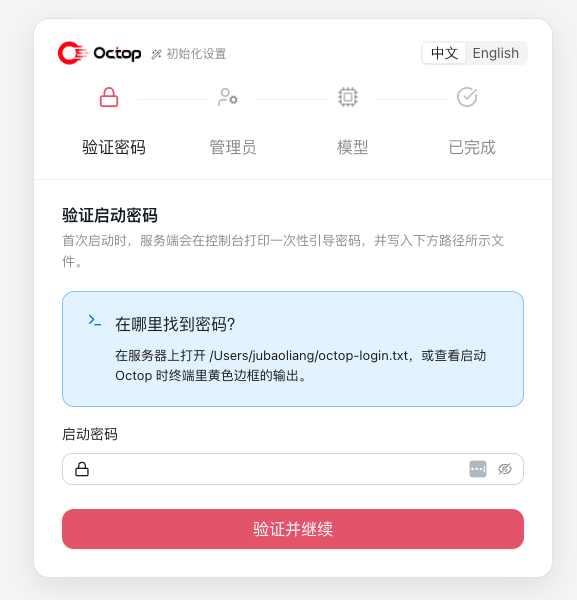
The first step: install the environment, start the service, and create an administrator第一步:装环境、启动服务、建管理员
This machine requires Python 3.12 and above. Go to the "AI Tools" section of this site to download the Octop 1.0.2b4 source code package (15.7 MB), unzip it into the directory, install the dependencies and start: octop run.
After starting, open the console in the browser and follow the wizard to create the administrator and basic configuration. All data falls in the local ~/.octop/ directory (default is SQLite, can be replaced by PostgreSQL), and the backup is to back up this directory.
本机需要 Python 3.12 及以上。到本站「AI工具」栏目下载 Octop 1.0.2b4 源码包(15.7 MB),解压进入目录、安装依赖后启动:octop run。
启动后浏览器打开控制台,按向导走完创建管理员与基础配置。所有数据都落在本机 ~/.octop/ 目录下(默认 SQLite,可换 PostgreSQL),备份就是备份这个目录。
Step 2: Configure the model path第二步:配好模型通路
Enter the model settings in the console and fill in the model service credentials. Octop supports custom base URLs, so all types of OpenAI-compatible services can be connected; after saving, send a test message on the conversation page to confirm that the access is normal before proceeding.
Remember to look at the settings related to usage and concurrency first: when multiple users + multiple agents are running at the same time, the quota and concurrency upper limit are not configured properly, and it is most likely that "some members keep spinning in circles."
进控制台的模型设置,填入模型服务凭据。Octop 支持自定义 base URL,因此 OpenAI 兼容的各类服务都能接;保存后在对话页发一句测试消息,确认通路正常再往下走。
记得先看一遍用量与并发相关的设置项:多用户 + 多智能体同时跑时,配额和并发上限没配好,最容易出现「一部分成员一直转圈」的情况。
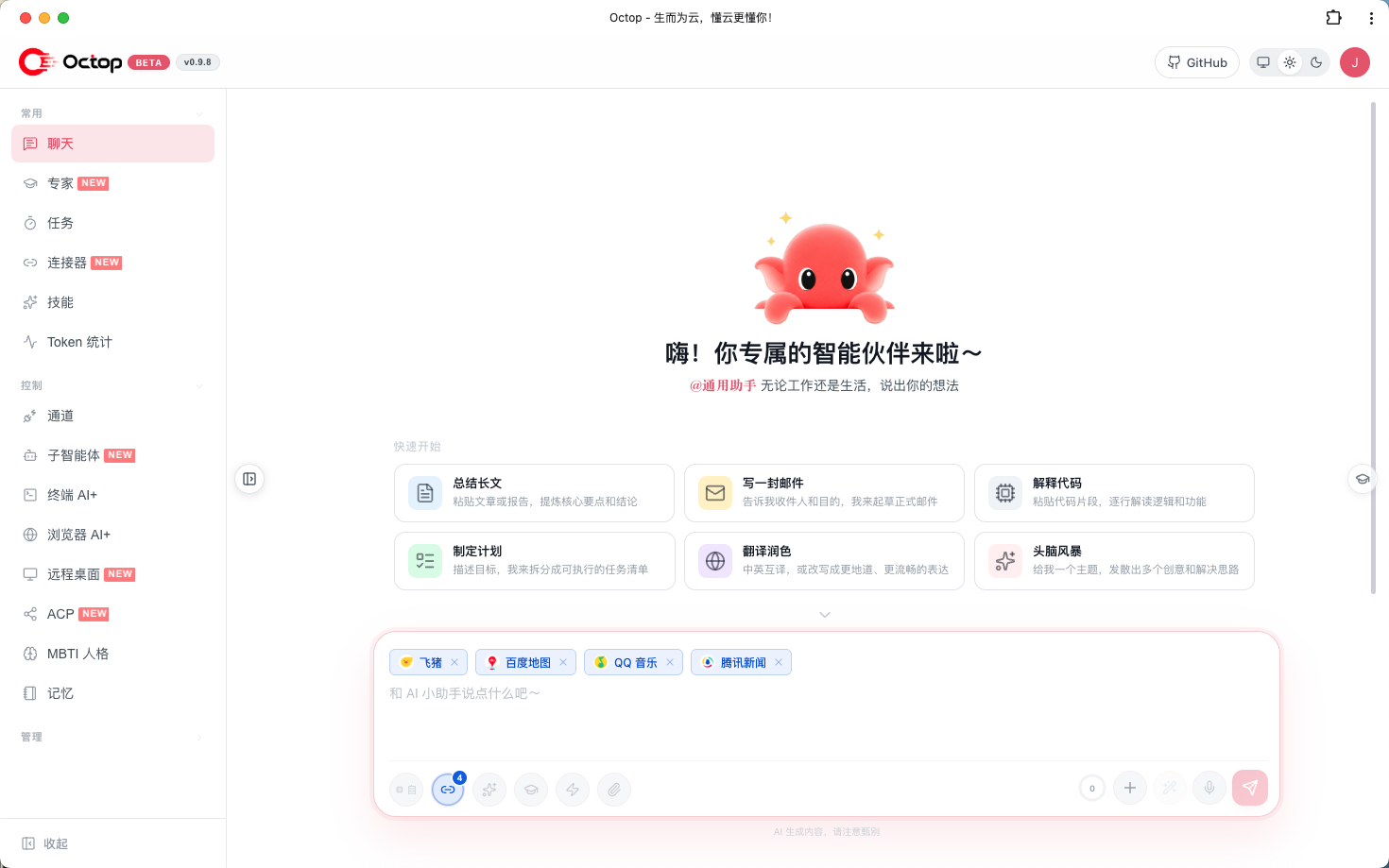
Step 3: Select experts, start a dialogue, and feed the knowledge base第三步:选专家、开对话、喂知识库
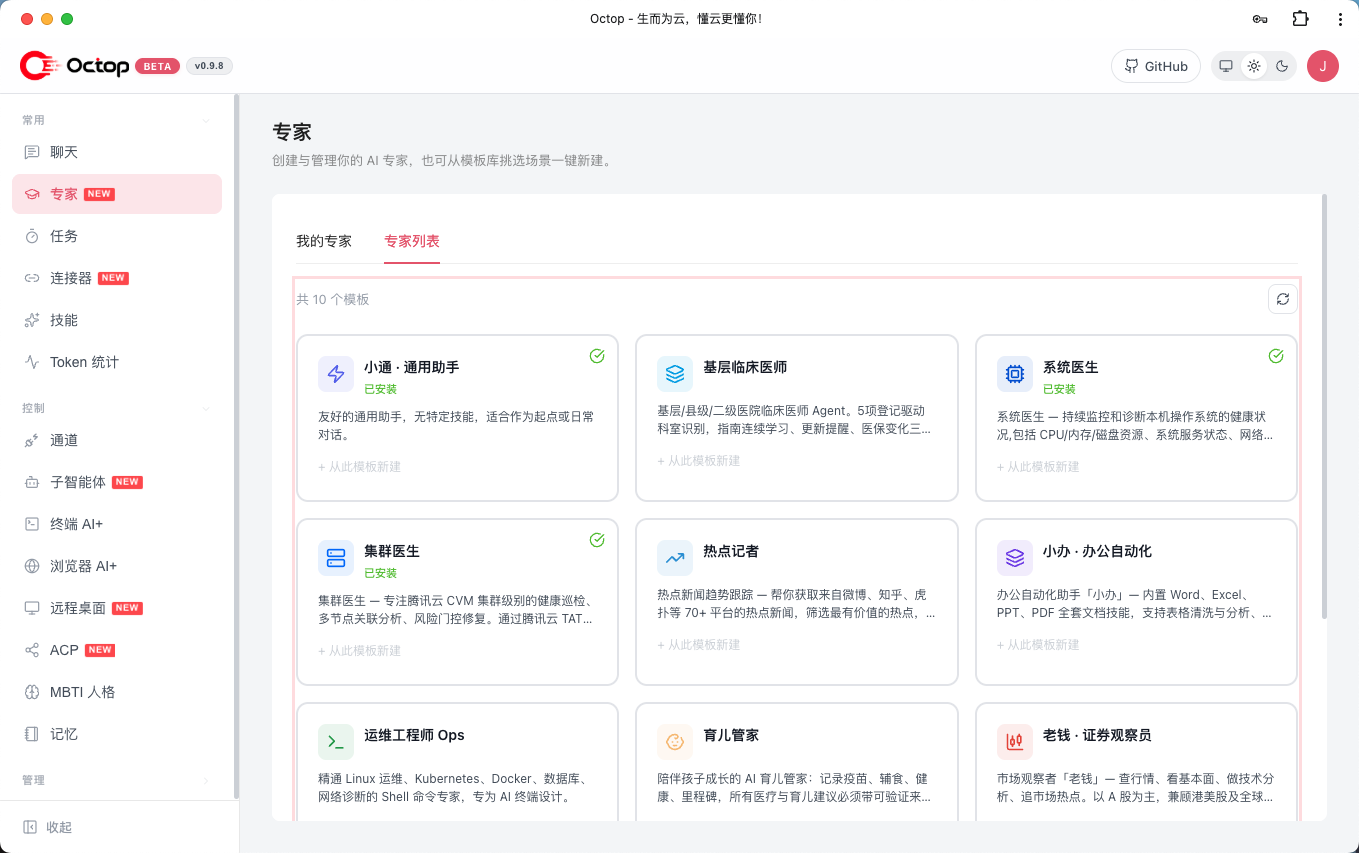
Built-in expert library and expert market: select experts according to scenarios (writing, coding, data analysis, etc.), and you can also enable MBTI personality templates to keep the expression style of each agent consistent, so that when working together in a team, you will not have to change your tone every time you change a conversation.
Start a conversation trial run: let the agent write a weekly report, organize meeting notes, or ask questions about the documents you uploaded - the knowledge base will RAG the local documents, and the answers will include your private information instead of relying on model memory.
内置专家库加专家市场:按场景选专家(写作、代码、数据分析等),也可以启用 MBTI 人格模板,让每个智能体的表达风格保持一致,团队协作时不至于每换一个会话就换一种腔调。
开一个对话试跑:让智能体写周报、整理会议笔记,或针对你上传的文档提问——知识库会对本地文档做 RAG,答案里会带上你的私有资料,而不是靠模型记忆编。
Step 4: Connect to IM, connect to terminal, and add scheduled tasks第四步:接 IM、接终端、加定时任务
In the channel settings, connect any one of Feishu, DingTalk, QQ, WeChat, Telegram, Discord, and Enterprise WeChat to the agent, and you can dispatch tasks in the group with @. The cron in the console supports using natural language to describe "summarizing yesterday's group messages at nine o'clock every morning."
Use ACP for development scenarios: Use octop acp to connect OpenCode/Claude Code (delegating coding tasks with permission confirmation), or directly let AI help you check logs and troubleshoot problems in the interactive terminal in the browser. For system-level operations, it is recommended to open tool approval and shell guardrails first.
在渠道设置里把飞书、钉钉、QQ、微信、Telegram、Discord、企业微信中的任意一个接到智能体上,群里 @ 一下就能派活;控制台里的 cron 支持用自然语言描述「每天早上九点汇总昨天的群消息」。
开发场景走 ACP:用 octop acp 把 OpenCode / Claude Code 接进来(带权限确认地委派编码任务),或在浏览器里的交互式终端直接让 AI 帮你查日志、排故障。系统级操作建议先开工具审批与 shell 护栏。
Notes使用提醒
This article is compiled from public sources and ships with the matching resource. Product features and pricing are subject to the official page. Resources are for learning and exchange only — please respect the original license.
本文整理自公开资料并附上配套资源;涉及产品的功能与价格以官方页面为准。资源仅供学习交流,请遵循来源许可。
⬇ Download · 点击下载:Octop 1.0.2b4 源码包(PyPI sdist)(15.7 MB)
腾讯云官方 Release v1.0.2b4 源码包,配合本教程使用,MIT 许可
阅读与点赞数据保存在你的浏览器本地,欢迎留下你的想法。
 今日正能量每天进步一点点,AI 陪你把想法变成现实。从一篇图文教程开始 →广告
评论 文明发言,让讨论更有价值