Open Duet: Raise a team of AI colleagues on your own computer or server, with a name, a position, and a memory, and you need to nod before you startOpen Duet:在自己电脑或服务器上养一支 AI 同事团队,有名字、有岗位、有记忆,动手前还要你点头
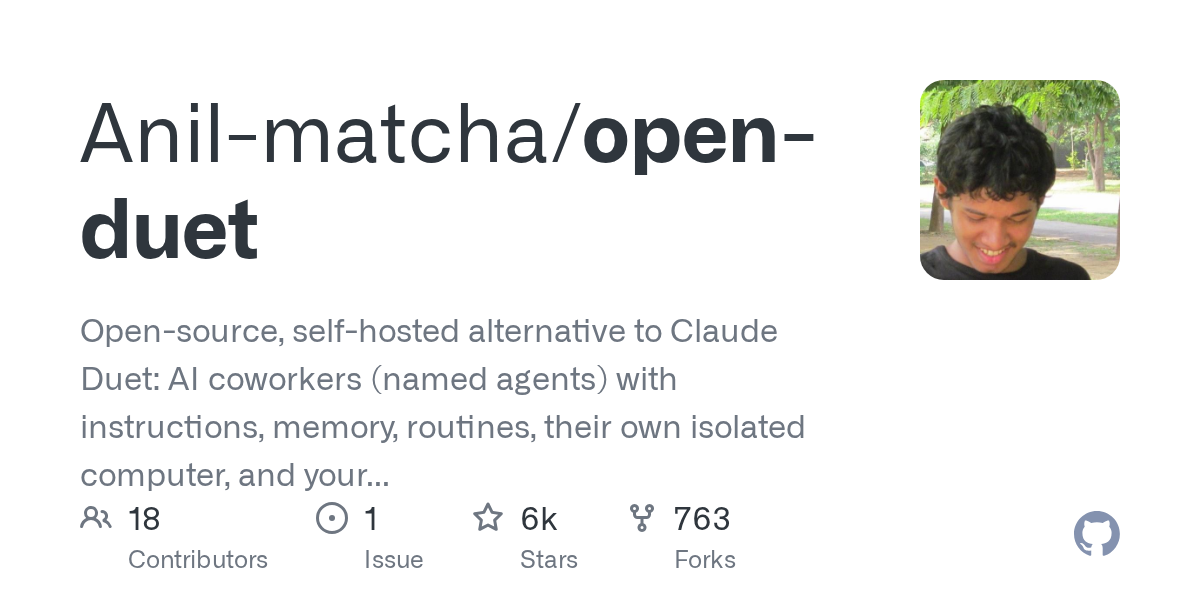
The logic of most proxy tools is “one person facing a chat box”. Open Duet has a different model: it is an open source workspace, you can create a bunch of AI colleagues with names, assign each position, specify the workspace, assign the model, set the memory, and let them assign each other - leading the agent to meet the needs, disassemble the tasks, hand the work to the expert agent, and then return to the chat. The data stays on your own machine or server, and when it needs approval is up to you. 6,100 + stars, rushing to the GitHub Trends this week.
大多数代理工具的逻辑是「一个人对着一个聊天框」。Open Duet 换了个模型:它是个开源工作区,你可以创建一堆有名字的 AI 同事,给每个安排岗位、指定工作区、分配模型、设置记忆,让他们互相派活——主导代理接需求、拆任务,把活交给专家代理,结果回到聊天里。数据留在你自己的机器或服务器上,什么时候需要人批准由你决定。6,100+ 星,本周冲上 GitHub 趋势榜。
An agent team, not a chat box一支 agent 团队,不是一个聊天框
Each agent has independent instructions, models, workspaces, memories, and approval settings: one to do research, one to write protocols, one to run support, and one to write code, without interfering with each other.
You can set up a lead and a number of specialists to let the lead decide for themselves which piece of work to give to whom; their work runs in their respective conversations and returns to the lead to summarize it. It is also possible to put several agents in the same room to discuss together.
Typical usage: build a lead, a researcher, an editor, share a project folder, and let the lead save a weekly report from the notes and reports - once satisfied, turn it into a weekly automatic running routine.
每个 agent 有独立的指令、模型、工作区、记忆和审批设置:做调研的一个、写方案的一个、跑支持的一个、写代码的一个,互不干扰。
可以设一个 lead 和若干 specialist,让 lead 自己判断该把哪块活交给谁;他们的工作跑在各自会话里,做完回到 lead 那里汇总。也可以把几个 agent 放进同一个房间一起讨论。
典型用法:建一个 lead、一个研究员、一个编辑,共用一个项目文件夹,让 lead 从里面的笔记和报告攒一份周报——攒一次满意了,就把它变成每周自动跑的 Routine。
Four practical capabilities四个实用能力
Memory: Agents can take notes, recall relevant notes and historical conversations in follow-up conversations. Notebooks can be viewed or changed, not black boxes.
Routines: triggered by schedule, by webhook, or manually “run now”; run on the back end so the back end is always on; the key is that it will never approve the action itself and will stop waiting for you when you need to nod.
Three levels of approval: Ask first, Accept edits, Plan only. The tool call record and approval decision can be reviewed in the interface.
Tasks and calendars: Put your work on a Kanban board, assign it to an agent or team, and see both deadlines and Routine schedules in the calendar; also count token usage and spending.
记忆:agent 可以记笔记、在后续对话里召回相关笔记和历史会话,笔记你能看也能改,不是黑箱。
Routines:按时间表、按 webhook、或手动「立即运行」触发;跑在后端所以后端要常开;关键是它永远不会自己批准动作,需要你点头时停下来等你。
审批三档:Ask first(动手前问)、Accept edits(改文件不问、越界才问)、Plan only(只出方案不动手)。工具调用记录和审批决定都能在界面里回看。
任务与日历:把活放到看板、指派给某个 agent 或团队,日历里能同时看到截止时间和 Routine 的运行安排;另外还会统计 token 用量和花费。
It's up to you to decide which model to use用哪个模型由你决定
The engine can be connected to: Claude Code, Codex CLI, Gemini CLI, Cursor, or any command-line proxy that takes the ACP (Agent Client Protocol); it can also be connected to OpenRouter, or OpenAI compatible interfaces (local inference such as Ollama, LM Studio).
It does not itself contain model credits, nor does it sell subscriptions - you bring your own account, CLI login, or API key. This is why it is cheap, and it is also the premise of its "data does not come from its own machine".
Different engines can do different things: such as image input, agent computer (Docker isolation environment) is not supported by every engine.
引擎可接:Claude Code、Codex CLI、Gemini CLI、Cursor,或任何走 ACP(Agent Client Protocol)的命令行代理;也可以接 OpenRouter,或 OpenAI 兼容接口(Ollama、LM Studio 这类本地推理)。
它本身不含模型额度,也不卖订阅——你带自己的账号、CLI 登录或 API key。这既是它便宜的原因,也是它「数据不出自己机器」的前提。
不同引擎能做的事不一样:比如图片输入、agent 电脑(Docker 隔离环境)并非每个引擎都支持。
Three Ways to Run三种跑法
Desktop side (source code running, the most convenient): requires Node.js 22 +, uv, and a CLI engine that is installed and logged into the machine. Three commands - git clone repository, cd open-duet/desktop, npm run app. Start the wizard for the first time to check the engine, select the workspace, select the approval mode, and build a starting agent.
Own server (computer shutdown also continues to run): Linux server + domain name with HTTPS + Docker (or Node.js and uv) + an engine on the server. Positioning is a single owner, paired with their own device, not a multi-user organization workspace.
Development checkout: If you want to change the code or connect to PostgreSQL, go to this one, see the repository docs/SETUP.md.
桌面端(源码跑,最省事):需要 Node.js 22+、uv,以及本机已装好并登录的一个 CLI 引擎。三条命令——git clone 仓库、cd open-duet/desktop、npm run app。首次启动会向导式检查引擎、选工作区、选审批模式,还能顺手建一个起步 agent。
自己服务器(电脑关机也继续跑):Linux 服务器 + 带 HTTPS 的域名 + Docker(或 Node.js 与 uv)+ 服务器上一个引擎。定位是单 owner、配对自己的设备,不是多用户组织工作区。
开发检出:想改代码或接 PostgreSQL 就走这条,见仓库 docs/SETUP.md。
Download Instructions: Why give the source code instead of exe下载说明:为什么给源码而不是 exe
Official v0.4.0 provides Windows x64 installation package (133MB) and macOS arm64 DMG (151MB), both of which exceed the 25MB limit for single files on this site, so the download button is given the official source code package (zip, 1.78 MB).
Press the above three commands to run from the source code to the desktop; if you really want to install the package, go to the warehouse Releases page to download it yourself, pay attention to the official mark that these two installation packages are still unsigned and belong to the experimental state.
The project is still in active development, team delegation, and server mode are all new features; before using it to handle important work, read the Known limitations in the warehouse.
官方 v0.4.0 提供 Windows x64 安装包(133MB)和 macOS arm64 DMG(151MB),两者都超过本站单文件 25MB 的上限,所以下载按钮给的是官方源码包(zip,1.78MB)。
按上面三条命令即可从源码跑起桌面端;确实想要安装包的,去仓库 Releases 页自行下载,注意官方标注这两个安装包仍未签名、属于实验状态。
项目仍在活跃开发,团队委派、服务器模式都算新功能;用它处理重要工作前,先读一遍仓库里的 Known limitations。
Use reminder使用提醒
The model call fee is charged by your own service provider, Open Duet does not provide models. This article is compiled from public information and accompanied by supporting resources; functions and prices are subject to the official page. Resources are for learning communication only, please follow the Apache-2.0 license.
模型调用费用由你自己的服务商收取,Open Duet 不提供模型。本文整理自公开资料并附配套资源;功能与价格以官方页面为准。资源仅供学习交流,请遵循 Apache-2.0 许可。
⬇ Download · 点击下载:Open Duet 官方仓库源码包(1.78MB)
取自 GitHub Anil-matcha/open-duet 主分支,Apache-2.0,含桌面端、后端、文档与自托管说明;按 README 的 npm run app 即可启动。
阅读与点赞数据保存在你的浏览器本地,欢迎留下你的想法。
 今日正能量学一点,用一点;今天种下的种子,会长成明天的能力。去免费下载专区 →广告
评论 文明发言,让讨论更有价值