Graphic tutorial: Use OpenSpec to standardize the AI programming process, and turn "casual requests" into acceptable specifications in four steps图文教程:用 OpenSpec 规范 AI 编程流程,四步把「随口提需求」变成可验收的规格
How to use OpenSpec after installing it? From initializing the specification catalog, writing change proposals, breaking down tasks to acceptance according to specifications, the entire set of actions is broken down into four steps to explain clearly.
装好 OpenSpec 后怎么用?从初始化规格目录、写变更提案、拆任务到按规格验收,一整套动作拆成四步讲清楚。
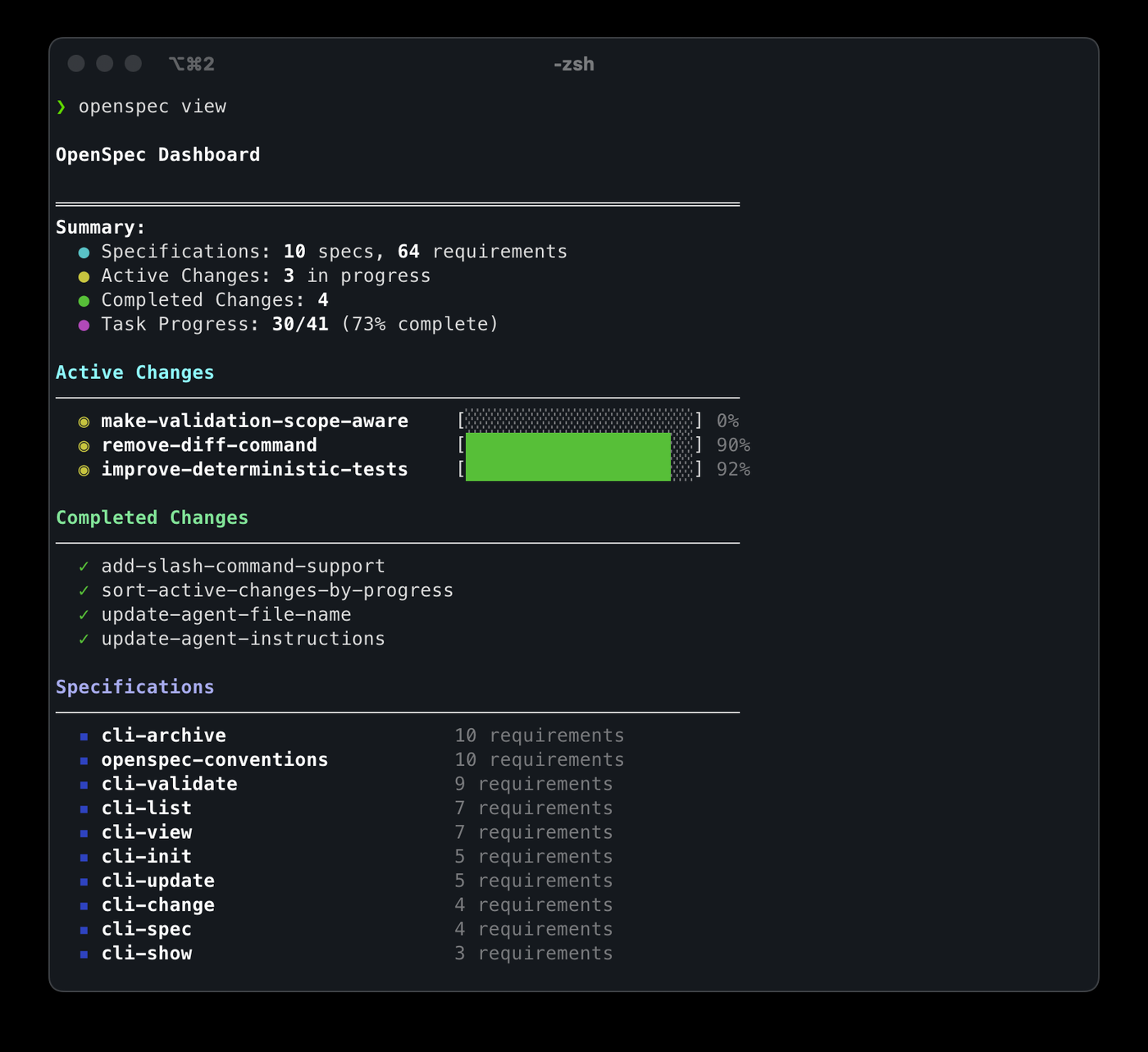
Step 1: Install the running environment and initialize it第一步:装好运行环境并初始化
Go to the "AI Tools" section of this site to download the OpenSpec v1.13.2 source code package. After unzipping, make sure that Node.js 18 or higher is installed on your machine.
Follow the installation instructions in the Chinese instructions and warehouse install.md in the package, and perform initialization in your project - it will generate an openspec specification directory under the project, which is the starting point for all subsequent specification files.
到本站「AI工具」栏目下载 OpenSpec v1.13.2 源码包,解压后先确认本机已安装 Node.js 18 或更高版本。
按包内中文使用说明与仓库 install.md 的步骤安装命令,并在你的项目里执行初始化——它会在项目下生成 openspec 规格目录,这就是之后所有规格文件的落脚点。
Step 2: Let AI write the change proposal first, instead of writing code directly第二步:让 AI 先写变更提案,不要直接写代码
When throwing requirements to AI, add the sentence "Follow the OpenSpec process and come up with change proposals first": it will clearly describe the motivation, impact, modules that need to be changed, and rejected alternatives.
The value of this step is to "align first and then take action." It’s much cheaper to change a sentence when you’re reading a proposal than to rework it after 500 lines of code have been written.
把需求丢给 AI 时加一句「按 OpenSpec 流程,先出变更提案」:它会把动机、影响面、需要改动的模块、以及被否决的备选方案都写清楚。
这一步的价值在于「先对齐再动手」。你看提案时改一句话,比看它写完 500 行代码再返工便宜得多。
Step 3: Expand the proposal into specifications with acceptance criteria第三步:把提案展开成带验收标准的规格
After the proposal is confirmed, let AI expand into a formal specification document: each requirement must be written into a verifiable scenario, including preconditions, triggering operations, and expected results.
Once the specifications are put into the library, they become the "sole source of truth" - every piece of code subsequently written by AI must be able to correspond to a certain specification, and the specifications will also be checked one by one during the review, and everyone will no longer have to talk about their own opinions.
提案确认后,让 AI 展开为正式规格文件:每条需求都要写成可验证的场景,包含前提条件、触发操作、预期结果。
规格一旦落库就是「唯一事实来源」——AI 后续写的每一段代码都要能对应到某条规格,评审时也照规格逐条核对,不再各说各话。
Step 4: Implement according to specifications and accept item by item第四步:按规格实现并逐条验收
Let AI break down the specifications into a task list and implement them one by one. Check each item off and the progress can be transparently checked.
In the acceptance phase, the specifications are used as test cases: each scenario is run once, and it is considered complete only if they all pass. If your needs change midway, just change the specifications and leave a diff instead of going over old scores in the chat history.
This process is especially trouble-free when working as a team: when a new colleague takes over, he can just read the specification catalog and understand "why it is written this way" without having to ask about the original conversation.
让 AI 把规格拆成任务清单并逐条实现,完成一项勾一项,进度透明可查。
验收阶段反过来用规格当测试用例:每一条场景都跑一遍,全过才算完成。中途需求有变,就改规格、留 diff,而不是在聊天记录里翻旧账。
团队协作时这套流程尤其省事:新同事接手只要读规格目录,就能明白「为什么这么写」,而不用追问当初的对话。
Notes使用提醒
This article is compiled from public sources and ships with the matching resource. Product features and pricing are subject to the official page. Resources are for learning and exchange only — please respect the original license.
本文整理自公开资料并附上配套资源;涉及产品的功能与价格以官方页面为准。资源仅供学习交流,请遵循来源许可。
本篇为图文教程,直接按步骤操作即可,无需下载文件。
阅读与点赞数据保存在你的浏览器本地,欢迎留下你的想法。
 今日正能量保持好奇,持续探索,未来的你会感谢今天的开始。挑一个好工具上手 →广告
评论 文明发言,让讨论更有价值