Pixelle MCP: Brush that turns ComfyUI workflows into AI agents with one clickPixelle MCP:把 ComfyUI 工作流一键变成 AI 智能体的画笔
Want agents like Claude to generate pictures, audio, video directly? Pixelle MCP automatically converts any workflow in ComfyUI into an MCP tool, and the agent can be plotted in one call. Open source agreement mit, 1,128 stars, with complete Chinese documents, this site packages 5.82 MB source code package can be downloaded directly.
想让 Claude 这类智能体直接生成图片、音频、视频?Pixelle MCP 把 ComfyUI 里的任意工作流自动转成 MCP 工具,智能体调用一次就能出图。开源协议 MIT,1,128 星,附完整中文文档,本站打包 5.82MB 源码包可直接下载。
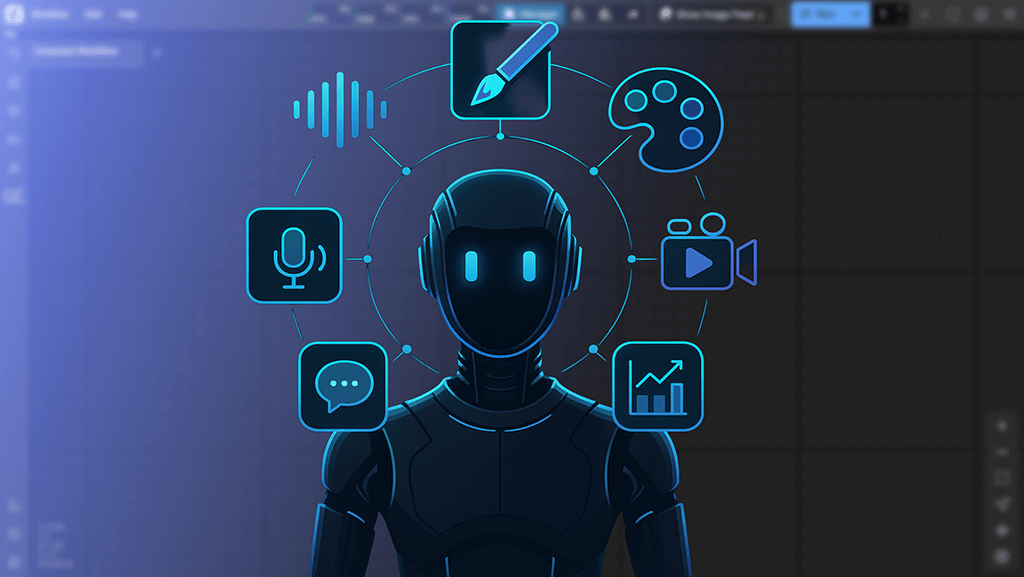
The real pain point it solves它解决的真实痛点
ComfyUI's node workflow is powerful, but it is designed for “human drag nodes”. When agents (Claude Code, Cursor, various MCP clients) want to use these capabilities, the traditional approach is to encapsulate APIs, processing parameters, and queues themselves, and the threshold is not low.
The idea of the Pixelle MCP is "AIGC is completely intelligent": read the workflow JSON in ComfyUI, automatically analyze which parameters are exposed (prompt, width, height, number of steps), and register the entire workflow as a standard MCP tool. The agent calls it like a normal function.
The official slogan is "Build your own AIGC solution in one minute", and workflow-level conversion means that you can reuse the plotted recipe in ComfyUI, and the agent can be reused as it is.
ComfyUI 的节点工作流很强大,但它是给「人拖节点」设计的。智能体(Claude Code、Cursor、各类 MCP 客户端)想用这些能力时,传统做法要自己封装 API、处理参数和队列,门槛不低。
Pixelle MCP 的思路是「AIGC 完全智能化」:读取 ComfyUI 里的工作流 JSON,自动分析哪些参数该暴露(提示词、宽高、步数),把整个工作流注册成一个标准 MCP 工具,智能体像调用普通函数一样调用它。
官方口号是「一分钟搭建自己的 AIGC 解决方案」,工作流级转化意味着你在 ComfyUI 里调好的出图配方,智能体可以原样复用。
Features at a glance功能一览
Vincent diagram, Tucson diagram, Vincent video, Tucson video, speech synthesis, speech recognition - official examples cover TTS (CosyVoice), digital human video (Wan2), Flux graphics, Qwen-VL understanding and many other workflows.
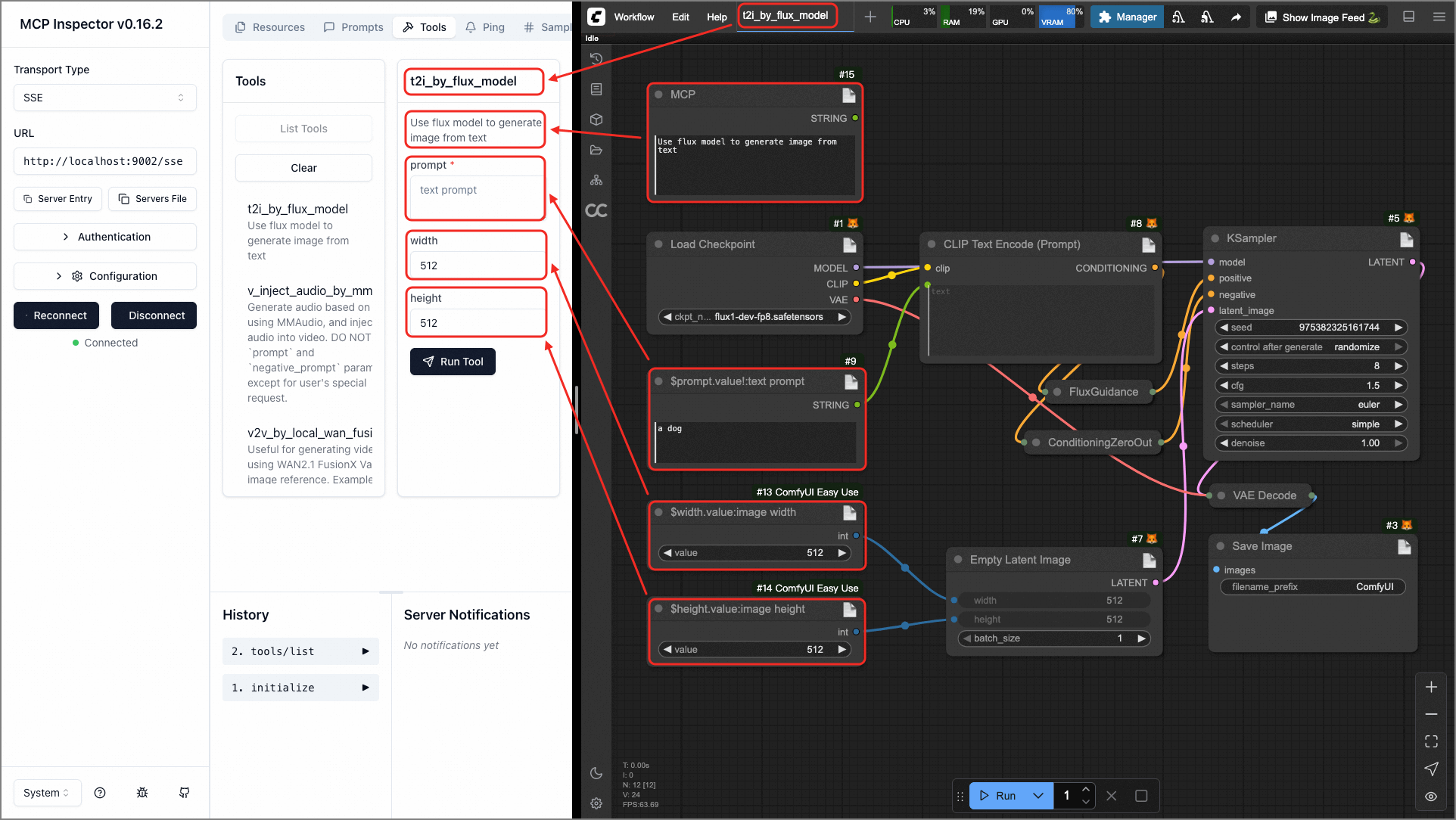
Automatic derivation of parameters: The input parameters of the tool are directly derived from the workflow node. The agent can see the type, default value and description of each parameter in the MCP Inspector (see the official screenshot: t2i_by_flux_model tool with prompt, width, height parameters).
OpenAI-compatible interface and WebUI dual channel: It can not only use the MCP protocol for the agent, but also use HTTP as an ordinary AIGC service; it comes with the Manager management model and workflow.
文生图、图生图、文生视频、图生视频、语音合成、语音识别——官方示例覆盖 TTS(CosyVoice)、数字人视频(Wan2)、Flux 出图、Qwen-VL 理解等多条工作流。
参数自动推导:工具入参直接从工作流节点推导生成,智能体在 MCP Inspector 里能看到每个参数的类型、默认值和说明(见官方截图:t2i_by_flux_model 工具带 prompt、width、height 参数)。
OpenAI 兼容接口与 WebUI 双通道:既能给智能体用 MCP 协议,也能当成普通 AIGC 服务用 HTTP 调用;自带 Manager 管理模型与工作流。
Deployment & Access部署与接入
The environment requires Python 3.11 + with a running ComfyUI. Download the source code package (5.82 MB) to extract, or git clone official repository; configure the ComfyUI address in .env after installing dependencies.
Once started, add the SSE endpoint with the MCP client (default http://localhost: 8002/sse) and the client will automatically list all registered workflow tools.
Verification: In the MCP Inspector, you can see that tools such as t2i_by_flux_model are successful; you can also try them directly with the official WebUI. The project has README_CN.md Chinese documents, and basically does not step on the pit according to the path.
环境要求 Python 3.11+ 与已运行的 ComfyUI。下载本站源码包(5.82MB)解压,或 git clone 官方仓库;安装依赖后配置 .env 里的 ComfyUI 地址。
启动后用 MCP 客户端添加 SSE 端点(默认 http://localhost:8002/sse),客户端会自动列出所有已注册的工作流工具。
验证:在 MCP Inspector 里 List Tools,能看到 t2i_by_flux_model 等工具即成功;也可以用官方 WebUI 直接试。项目有 README_CN.md 中文文档,照着走基本不踩坑。
Use reminder使用提醒
To run Pixelle MCP, you need to have deployed ComfyUI and configured the corresponding model (such as Flux). Please estimate the memory and disk usage in advance. This package is the main branch source code, licensed by mit, and the functions are subject to the latest instructions of the official warehouse.
运行 Pixelle MCP 需要已部署 ComfyUI 并配置好相应模型(如 Flux),显存与磁盘占用请提前预估。本包为主分支源码,MIT 许可,功能以官方仓库最新说明为准。
⬇ Download · 点击下载:Pixelle MCP 源码包(5.82MB)
取自 ATH-MaaS/Pixelle-MCP 主分支源码,MIT 许可,含中文文档 README_CN.md
阅读与点赞数据保存在你的浏览器本地,欢迎留下你的想法。
 今日正能量学一点,用一点;今天种下的种子,会长成明天的能力。去免费下载专区 →广告
评论 文明发言,让讨论更有价值