Planning with Files: 28,000-star "anti-amnesis" skill pack, write the mission plan on the disk,/clear and crash can not take awayPlanning with Files:28,000 星的「防失忆」技能包,把任务计划写上磁盘,/clear 和崩溃都带不走
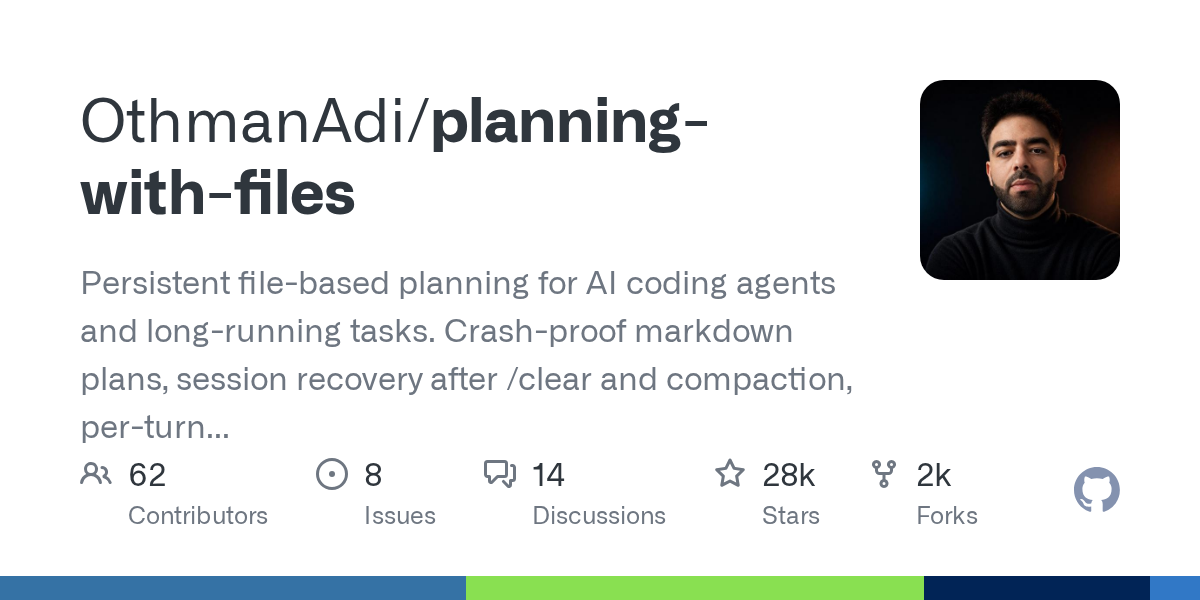
The most common rollover scene for programming agents: the task is half full, once/clear or once compressed, it forgets the plan completely. The answer to Planning with Files (28,000 + stars, this week's GitHub trend list) is extremely simple - write the plan on the disk: task_plan.md, findings.md, progress.md The three files are the external memory of the agent. The lifecycle hook re-injects the plan into the context every round, and the agent forgets that he can "take a look at the notes" and then do it. Official test: The number of relocation rounds after context reset decreased from 13.3 to 5.0.
编程代理最常见的翻车现场:任务做到一半上下文满了,一次 /clear 或一次压缩,它就把计划忘得一干二净。Planning with Files(28,000+ 星,本周 GitHub 趋势榜)的答案朴素到极致——把计划写在磁盘上:task_plan.md、findings.md、progress.md 三个文件就是代理的外置记忆,生命周期钩子每轮把计划重新注入上下文,代理忘记了自己也能「看一眼笔记」接着干。官方实测:上下文重置后的重新定位轮数从 13.3 降到 5.0。
Core idea: memory volatility, disk longevity核心思想:内存易失,磁盘长存
Its metaphors can be remembered at a glance: context window = memory (volatile, finite), file system = disk (persistent, infinite), so anything important has to be dropped.
The division of labor in the three documents is clear: task_plan.md records the stage and checked status, findings.md records the midway discovery and decision-making, and progress.md records what is done at each step. Each time the agent learns one thing and completes one thing, they are required to append it to the corresponding documents.
The essential difference from the ordinary todo list: most of the to-do lists of harness live in the context window and disappear with the window reset; the plan of this skill lives on the disk, each round is re-injected by the hook, and the degree of completion is gated - the plan is not reported to be completed, and the agent does not stop.
它的隐喻一眼就能记住:上下文窗口 = 内存(易失、有限),文件系统 = 磁盘(持久、无限),所以任何重要的东西都必须落盘。
三文件分工明确:task_plan.md 记阶段与勾选状态,findings.md 记中途发现与决策,progress.md 记每一步做了什么。代理每学会一件事、做完一件事,都被要求随手追加进对应文件。
与普通 todo 清单的本质区别:大多数 harness 的待办列表活在上下文窗口里,随窗口重置一起消失;这个技能的计划活在磁盘上,每轮由钩子重新注入,还带完成度门控——计划没报告完成,代理不许停。
How Hooks Turn Notes into Muscle Memories钩子如何让「记笔记」变成肌肉记忆
The stop rule is a chain of judgment: start a new job? Create three files first. Learn something? Add to findings.md. Doing something? Make a note of progress.md. Phase Complete? Tick task_plan.md. Context dead (/clear, crash, compress)? The hook re-reads the schedule on the disk. All phases complete? Stop the door to release it.
These steps are performed mechanically by the 6 lifecycle hooks of the Claude Code plugin, rather than by model awareness; Codex, OpenCode, Hermes and other different hosts have corresponding sets of hooks.
Actual effect: After the reset, the "re-warm-up" dropped from more than a dozen rounds to about five rounds. The author did three rounds of blind A/B comparison and all won. The detailed benchmark data can be found in the warehouse README.
停止规则是一条判断链:开始新工作?先建三个文件。学到东西?追加进 findings.md。做了事?记进 progress.md。阶段完成?在 task_plan.md 打勾。上下文死了(/clear、崩溃、压缩)?钩子重新读取磁盘上的计划。全部阶段完成?停止门才放行。
这些步骤靠 Claude Code 插件的 6 个生命周期钩子机械化执行,而不是靠模型自觉;Codex、OpenCode、Hermes 等不同宿主各有对应的钩子集。
实际效果:重置后的「重新热身」从十几轮降到五轮左右,作者做了三轮盲测 A/B 对比全部获胜,详细基准数据在仓库 README 里可查。
Installation & Getting Started安装与上手
One command global installation: npx skills add OthmanAdi/planning-with-files --skill planning-with-files -g.
You can also go to the Claude Code plugin market or npm installation, the repository docs/installation.md lists all installation methods; more than 60 agents such as Codex, Cursor, OpenCode can be connected.
There is no need to memorize any new commands after installation: as usual, it will automatically build the plan file first; if you want to see the progress in the middle, open task_plan.md in the project directory directly to the latest task status board.
一条命令全局安装:npx skills add OthmanAdi/planning-with-files --skill planning-with-files -g。
也可以走 Claude Code 插件市场或 npm 安装,仓库 docs/installation.md 列了全部安装方式;Codex、Cursor、OpenCode 等 60 多种代理都能接。
装完无需背任何新命令:照常给代理派任务,它会自动先建计划文件;中途想看进度,直接打开项目目录里的 task_plan.md 就是最新的任务状态板。
Download instructions下载说明
The download button provides the Planning with Files v3.25.1 official npm package (tgz, 186KB) with skill definitions, full hook scripts and documentation, offline decompression review or npm installation.
The plan file is ordinary Markdown, which can be gitted, manually edited, and the agent's next round will be based on the new version you changed.
下载按钮提供 Planning with Files v3.25.1 官方 npm 包(tgz,186KB),内含技能定义、全部钩子脚本与文档,可离线解压审阅或 npm 安装。
计划文件就是普通 Markdown,可以进 git、可以手动编辑,代理下一轮会以你改过的新版本为准。
Use reminder使用提醒
This article is compiled from public sources and ships with the matching resource. Product features and pricing are subject to the official page. Resources are for learning and exchange only — please respect the original license.
本文整理自公开资料并附上配套资源;涉及产品的功能与价格以官方页面为准。资源仅供学习交流,请遵循来源许可。
⬇ Download · 点击下载:Planning with Files v3.25.1 官方 npm 包(186KB)
取自 npm registry 官方包 planning-with-files@3.25.1,含技能、钩子与多宿主适配全量源码。
阅读与点赞数据保存在你的浏览器本地,欢迎留下你的想法。
 今日正能量学一点,用一点;今天种下的种子,会长成明天的能力。去免费下载专区 →广告
评论 文明发言,让讨论更有价值