Read Frog: Open source bilingual control reading plugin, webpage, YouTube subtitles, e-books together (nearly 10,000 stars)Read Frog 陪读蛙:开源双语对照阅读插件,网页、YouTube 字幕、电子书一起翻(近万 Star)
An open-source browser plug-in that turns "reading foreign websites" into "learning foreign languages": full-page bilingual contrast, transcription translation with explanation, YouTube bilingual subtitles, e-book translation, support for more than 20 models such as OpenAI, DeepSeek, Gemini, Ollama, and a free Google/Microsoft translation engine. Bulk requests can save up to 70% on API fees, while local connections to Ollama are completely free and data is local.
一款把「读外网」变成「学外语」的开源浏览器插件:整页双语对照、划词翻译带讲解、YouTube 双语字幕、电子书翻译一站搞定,支持 OpenAI、DeepSeek、Gemini、Ollama 等 20 多家模型,也内置免费的谷歌/微软翻译引擎。批量请求合并最高能省 70% 的 API 费用,本地接 Ollama 则完全免费、数据不出本机。
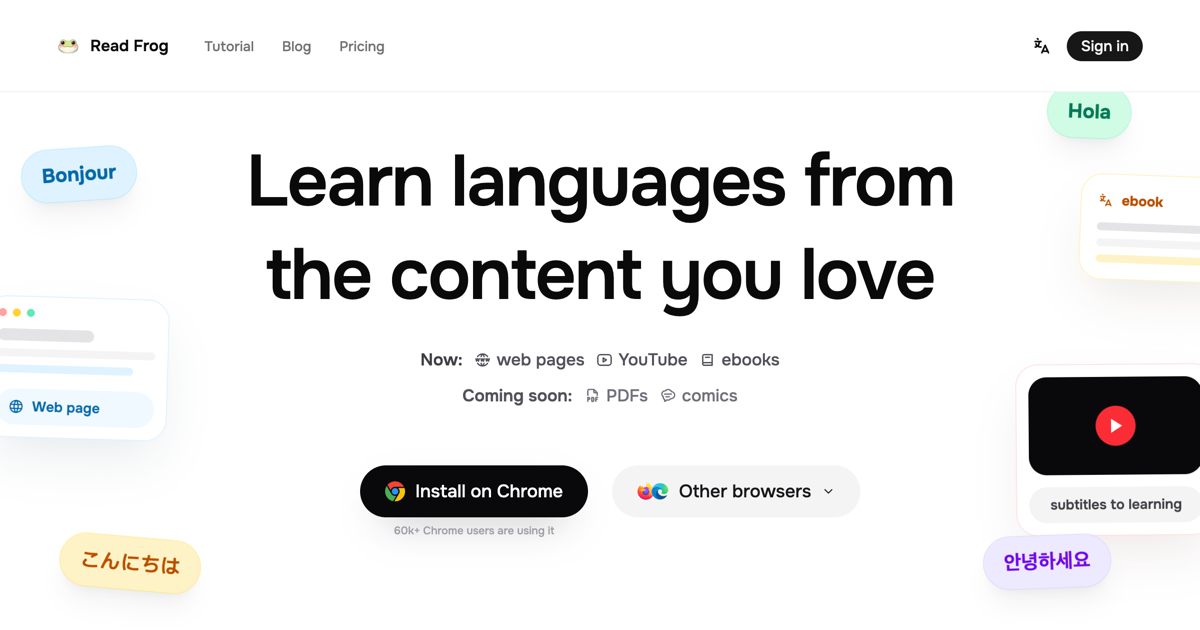
What does it do for you?它帮你做什么
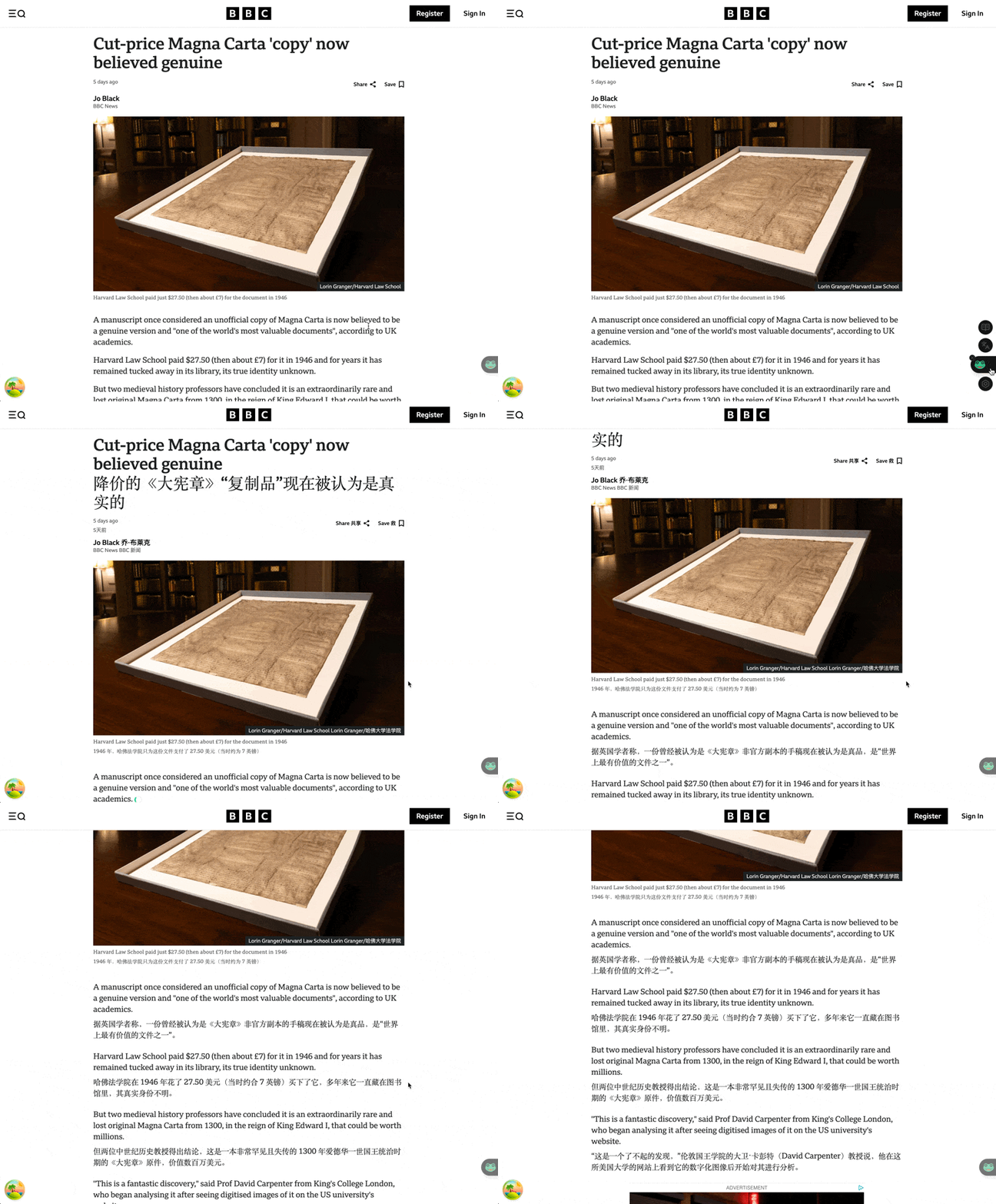
Two modes of bilingual/plain translation can be switched freely: the original bilingual mode is contrasted with the translated text, and the layout inherits the original station style; if you want to read it cleanly, you can choose the plain translation, and you can hover over the original text.
Context-aware translation: The AI will read the entire article and translate it again, with consistent terminology and tone, which is much more natural than paragraph-by-paragraph machine translation. It also supports custom translation prompts and direct reuse in the style of "formal/spoken/technical documents".
Translation: Select any text to display a translation card, which can be re-translated, switched engine, readable (TTS), and explained according to your level in language learning mode.
双语 / 纯译文两种模式随心切换:双语模式原文加译文上下对照,排版继承原站样式;只想要干净阅读就选纯译文,鼠标悬停还能回看原文。
上下文感知翻译:AI 会读完整篇文章再翻,术语和语气前后一致,比逐段机翻自然得多;还支持自定义翻译提示词,写好「正式/口语/技术文档」风格直接复用。
划词翻译:选中任意文字出现翻译卡片,可重翻、可切换引擎、可朗读(TTS),语言学习模式下还会按你的水平给出讲解。
Web, YouTube subtitles, e-books网页、YouTube 字幕、电子书一起翻
Full page translation triggered with one click, up to 40 segments or 9000 characters in a batch of smart merges, and the official measurement saves up to 70% of the API fee compared to paragraph-by-paragraph requests.
YouTube Bilingual Subtitles (Beta): Add translations to subtitles directly in the player, support any video with standard subtitle tracks, and do not need to adapt to each website.
E-book translation is live, and PDF and comics will soon be supported in the official roadmap - do "learn foreign languages with love content", which is one of the most completed open source solutions at present.
整页翻译一键触发,最大 40 段或 9000 字符一批智能合并,官方实测比逐段请求最高省 70% 的 API 费用。
YouTube 双语字幕(Beta):直接在播放器里给字幕加译文,支持任意带标准字幕轨的视频,不用一个个网站去适配。
电子书翻译已上线,PDF 和漫画在官方路线图里即将支持——做「用爱看的的内容学外语」这件事,它是目前完成度最高的开源方案之一。
Supports 20 + models and all free plans支持 20+ 模型,也有全免费方案
More than 20 service providers such as OpenAI, Anthropic, Gemini, DeepSeek, and Ollama can connect and fill in their own API keys to use; different roles can be equipped with different models to control costs.
There are also two completely free routes: one is built-in Google Translate and Microsoft Translate engine, which can be used without filling in any Key; the other is to run Ollama locally, the translation is offline all the way, and the privacy is the most stable.
OpenAI、Anthropic、Gemini、DeepSeek、Ollama 等 20 多家服务商都能接,填自己的 API Key 即用;不同角色可以配不同模型来控成本。
完全免费的路线也有两条:一是内置谷歌翻译、微软翻译引擎,不填任何 Key 就能用;二是本地跑 Ollama,翻译全程离线,隐私最稳。
Download instructions下载说明
The download button provides the official v1.50.1 Chrome expansion package (about 7.5 MB), which already contains the build. After unzipping, you can "load the unzipped extension" in chrome://extensions developer mode.
The Edge and Firefox versions can download the corresponding official package on the project GitHub Releases page, and the functions are the same.
下载按钮提供官方 v1.50.1 Chrome 扩展包(约 7.5 MB),已含构建产物,解压后在 chrome://extensions 开发者模式里「加载已解压的扩展程序」即可。
Edge 和 Firefox 版本可到项目 GitHub Releases 页面下载对应的官方包,功能一致。
Use reminder使用提醒
The quality of AI translation depends on the selected model. Use the cloud model to bring your own API Key and pay attention to the cost; the plugin will read the content of the page you are browsing for translation, and sensitive pages are recommended to use the local model. This article is compiled from self-disclosed materials. The resources are for learning and communication only. Please follow the GPL-3.0 license of the project.
AI 翻译质量取决于所选模型,用云端模型需自带 API Key 并注意费用;插件会读取你正在浏览的页面内容用于翻译,敏感页面建议用本地模型。本文整理自公开资料,资源仅供学习交流,请遵循项目 GPL-3.0 许可。
⬇ Download · 点击下载:Read Frog v1.50.1 Chrome 扩展包(约 7.5 MB)
来自 GitHub 开源仓库 mengxi-ream/read-frog 官方 Releases(GPL-3.0 许可),含构建完成的扩展本体,解压即可加载
阅读与点赞数据保存在你的浏览器本地,欢迎留下你的想法。
 今日正能量学一点,用一点;今天种下的种子,会长成明天的能力。去免费下载专区 →广告
评论 文明发言,让讨论更有价值