GitHub official Spec Kit: Specification-driven development tool v1.2.1 released, first write the specification and then write the code, AI programming no longer deviatesGitHub 官方 Spec Kit:规格驱动开发工具 v1.2.1 发布,先写规格再写码,AI 编程不再跑偏
GitHub's official open source Spec Kit (github/spec-kit) turns "write specification first, write implementation" into a set of executable commands: specify init initialization project,/specify write specification,/clarify to clarify ambiguity,/plan to define technical scheme,/tasks to disassemble tasks,/implement generation implementation. v1.2.1 was just released on October 16, 2026. With the addition of an extended directory, output capture, and multiple fixes, it is the most popular methodology tool for making AI programming agents obedient.
GitHub 官方开源的 Spec Kit(github/spec-kit)把「先写规格、再写实现」变成一套可执行命令:specify init 初始化项目,/specify 写规格、/clarify 澄清歧义、/plan 定技术方案、/tasks 拆任务、/implement 生成实现。v1.2.1 于 2026 年 10 月 16 日刚发布,新增扩展目录、输出捕获与多个修复,是让 AI 编程智能体听话的最热门方法论工具。

What problem to solve解决什么问题
Directly throwing a sentence of demand to AI programming, the output is often far from the expected: the demand itself is ambiguous, and AI likes to complete it on its own.
The idea of Spec Kit is Spec-Driven Development: First, write "what to do, why, what are the constraints" into a structured specification document. AI performs every step against the specification, and the ambiguity is eliminated at the specification writing stage.
It is the official project of GitHub and can be used with mainstream agents such as Claude Code, Codex, Gemini CLI, Cursor, etc.
直接把需求一句话丢给 AI 编程,产出往往和预期差很远:需求本身有歧义,AI 又喜欢自作主张补全。
Spec Kit 的思路是规格驱动开发(Spec-Driven Development):先把「要做什么、为什么、约束是什么」写成结构化规格文档,AI 每一步都对照规格执行,歧义在写规格阶段就被消除。
它是 GitHub 官方项目,与 Claude Code、Codex、Gemini CLI、Cursor 等主流智能体都能配合使用。
Core workflows核心工作流
specify init Project Name: Initialize the project and select the AI agent you are using to automatically generate the .specify directory and supporting commands.
Seven-step command flow:/speckit.constitution defined project principles→/speckit.specify written specifications→/speckit.clarify clarified→/speckit.plan defined→/speckit.tasks task removal→/speckit.analyze consistency check→/speckit.implement generation implementation.
v1.2.1 Added extended catalog and workflow output capture, PowerShell 5.1 compatibility was also optimized, and Windows users were smoother.
specify init 项目名:初始化项目并选择你使用的 AI 智能体,自动生成 .specify 目录与配套命令。
七步命令流:/speckit.constitution 定项目原则 → /speckit.specify 写规格 → /speckit.clarify 澄清 → /speckit.plan 定方案 → /speckit.tasks 拆任务 → /speckit.analyze 一致性检查 → /speckit.implement 生成实现。
v1.2.1 新增扩展目录(catalog)与工作流输出捕获,PowerShell 5.1 兼容性也做了优化,Windows 用户更顺滑。
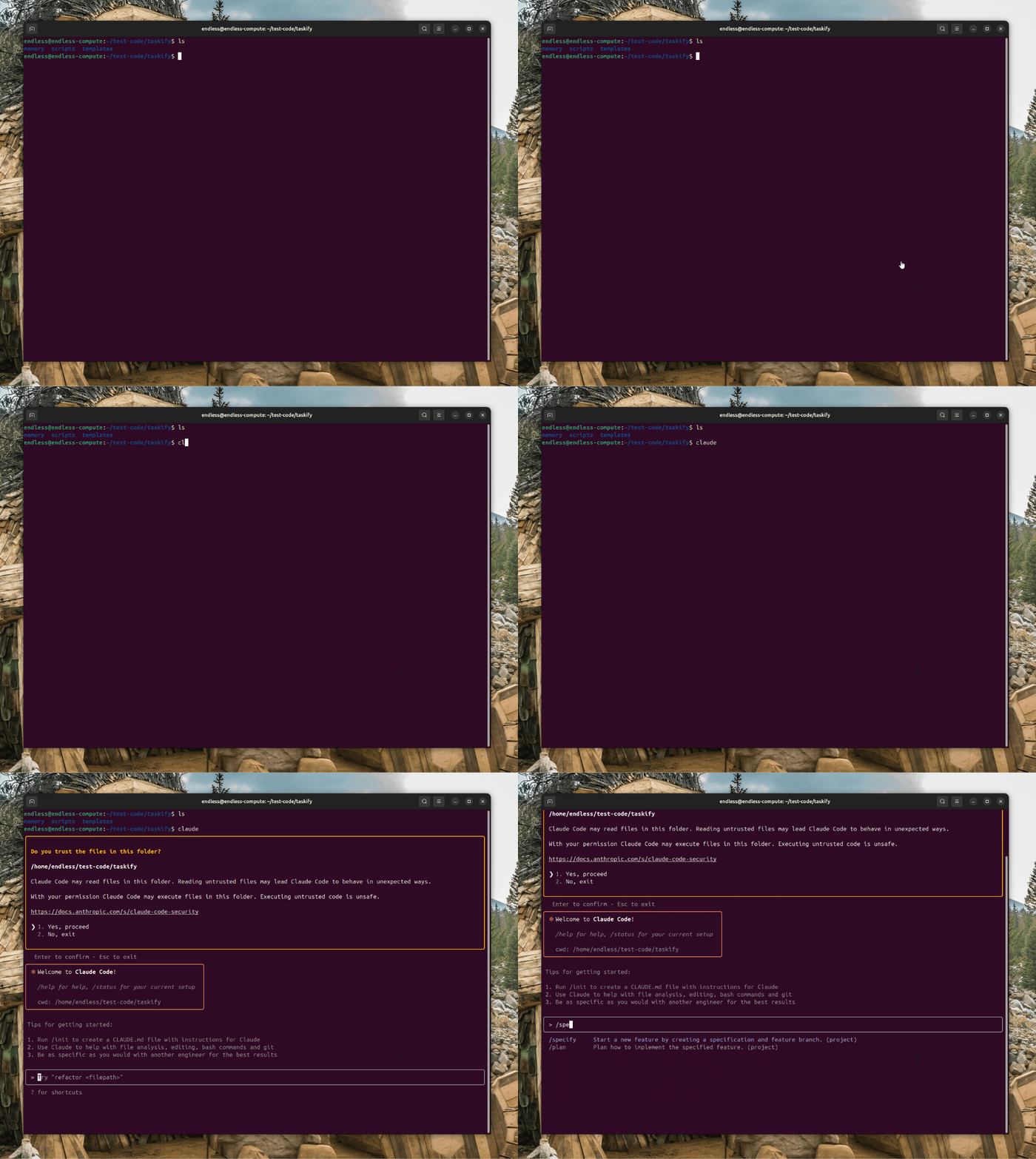
Download & Install下载与安装
Recommended uv tool install: uv tool install specify-cli --from git + https://github.com/github/spec-kit.git @ v1.2.1.
Python users can also directly pip install the official PyPI sdist source code package provided in this article. The offline environment can be unzipped and installed first.
After installing and executing the specify init my-project verification, the project skeleton description can be generated and installed successfully.
推荐用 uv 工具安装:uv tool install specify-cli --from git+https://github.com/github/spec-kit.git@v1.2.1。
Python 用户也可以直接 pip install 本文提供的 PyPI 官方 sdist 源码包,离线环境先解压再安装即可。
装完执行 specify init my-project 验证,能生成项目骨架说明安装成功。
Use reminder使用提醒
This article is compiled from public sources and ships with the matching resource. Product features and pricing are subject to the official page. Resources are for learning and exchange only — please respect the original license.
本文整理自公开资料并附上配套资源;涉及产品的功能与价格以官方页面为准。资源仅供学习交流,请遵循来源许可。
⬇ Download · 点击下载:Spec Kit specify-cli 1.2.1 PyPI 官方源码包(4.81MB)
来自 PyPI 官方源 specify_cli 1.2.1 sdist;执行 pip install specify-cli-1.2.1.tar.gz 即可安装,或用官方推荐的 uv 方式在线安装。
阅读与点赞数据保存在你的浏览器本地,欢迎留下你的想法。
 今日正能量学一点,用一点;今天种下的种子,会长成明天的能力。去免费下载专区 →广告
评论 文明发言,让讨论更有价值