text-to-cad plugin: give your AI agent CAD superpowers and generate manufacturable 3D models in one sentencetext-to-cad 插件:给 AI 智能体装上 CAD 能力,一句话生成能直接开模的 3D 模型
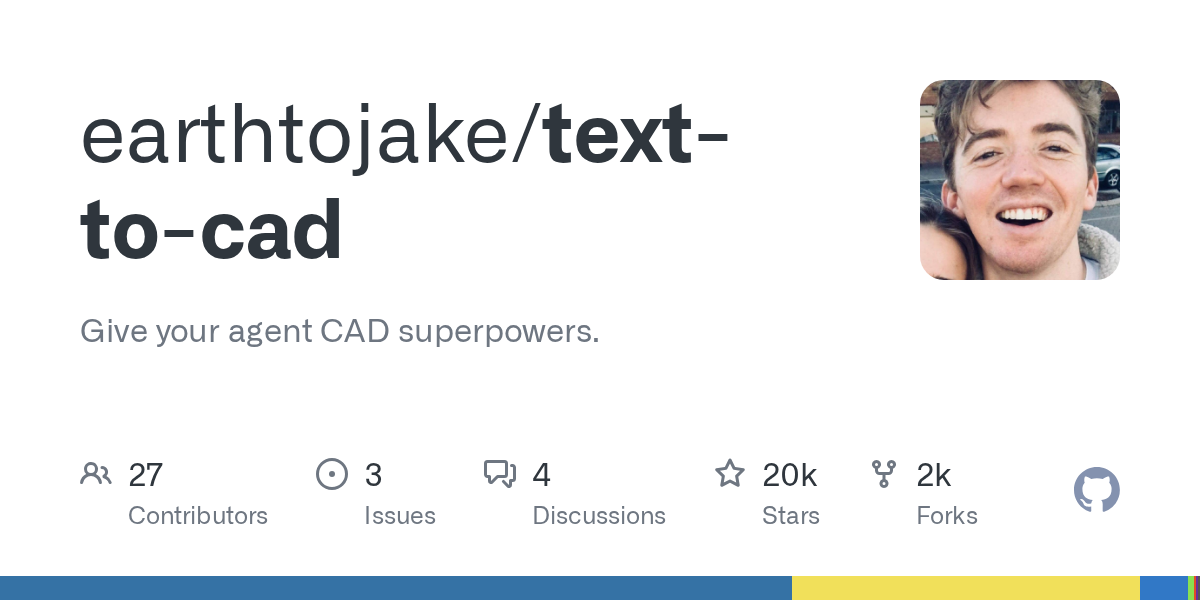
It turns "describe a part" into "get a file you can actually use": text-to-cad is a GitHub trending project this week (about 19,700 stars, MIT licence) that works with Claude Code, Codex, Cursor, Gemini and Grok. Once installed, describe a shape in one sentence and the agent builds it locally, producing STEP, GLB, STL and 3MF files — plus design-for-manufacturing checks, engineering drawings, and hooks into 3D printing, sheet metal and CNC services.
它把「描述一个零件」变成「拿到能直接用的模型文件」:text-to-cad 是本周 GitHub 热榜项目(约 1.97 万星、MIT 许可),支持 Claude Code、Codex、Cursor、Gemini、Grok 等主流智能体。装好后,你只要用一句话描述形状,智能体就在本机替你生成 STEP、GLB、STL、3MF 四种 3D 模型文件,还能顺手做可制造性检查、出工程图纸,并接上 3D 打印、钣金与 CNC 加工服务。
What it actually does它到底能做什么
In one line: tell your agent "make a 60mm square mounting plate, 5mm thick, with an M3 countersink in each corner" and it builds the model locally, emitting STEP, GLB, STL or 3MF files — the first two for CAD and display, the last two straight into your slicer.
Beyond modelling it also asks "can this be made?": a built-in design-for-manufacturing (DFM) check flags wall thickness, hole placement and draft issues, and it can produce dimensioned engineering drawings when you need to communicate with a supplier.
It also wires up common 3D printing, sheet metal and CNC services, so a finished model can move straight into quoting and ordering.
一句话说清:你对智能体说「做一个 60mm 见方、厚 5mm、四角各开一个 M3 沉孔的安装板」,它就在你本机把模型建出来,并输出 STEP、GLB、STL 或 3MF 文件——前两种给 CAD 与展示用,后两种直接进切片软件。
除了建模,它还管「能不能造」:插件内置可制造性(DFM)检查,会提示壁厚、孔位、拔模等常见问题;需要对外沟通时,它还能生成带尺寸标注的工程图纸。
更进一步,常用的 3D 打印、钣金和 CNC 加工服务也接进来了,做完的模型可以直接走后续询价与下单流程。
Which agents are supported支持哪些智能体
The official wording is "any agent that supports plugins or the skills framework", and it explicitly names Claude Code, Codex, Cursor, Gemini and Grok.
The plugin form brings both the skills and a local CAD viewer (a local server, cadgen mcp). If your agent does not support plugins, you can install the skills alone. Install one or the other, not both — two copies means every skill twice.
官方口径是「所有支持插件或 skills 框架的智能体都能用」,并明确点名了 Claude Code、Codex、Cursor、Gemini 和 Grok。
插件形态会同时带来技能与本地 CAD 查看器(一个本地服务 cadgen mcp);如果你的智能体不支持插件,也可以只装技能。注意二者只装其一——重复安装会让每个技能出现两份。
How to install怎么安装
The easiest path is to tell your agent: "Install text-to-cad from https://github.com/earthtojake/text-to-cad" — it will do the install itself.
For Claude Code you can also run two commands: first claude plugin marketplace add earthtojake/text-to-cad#latest, then claude plugin install text-to-cad@earthtojake, and restart the app. The first start downloads the CAD runtime, so it needs a network connection.
There is only one hard prerequisite: uv must be installed, since the CAD runtime is managed by uv. Confirm with uv --version.
最省事的方式是直接对智能体说一句话:「Install text-to-cad from https://github.com/earthtojake/text-to-cad」,它会自己完成安装。
以 Claude Code 为例,也可以手动两行命令:先 claude plugin marketplace add earthtojake/text-to-cad#latest,再 claude plugin install text-to-cad@earthtojake,然后重启应用。首次启动会联网下载 CAD 运行时,这一步需要网络。
硬前置只有一个:本机装好 uv(CAD 的运行时走 uv 管理),用 uv --version 确认即可。
Download instructions下载说明
The download button provides the official PyPI source distribution (sdist) of cadgen 0.7.21 — the core package the plugin depends on at runtime, including all CAD generation and DFM check source, so it works offline too.
The plugin itself needs no local file: run the two commands above inside your agent to install it straight from GitHub and keep it updated.
Usage stats and crash reports are on by default (tagged with a random ID and never including your files, paths or prompts). Turn them off with uvx cadgen telemetry off if you care about privacy.
下载按钮提供 PyPI 官方源码分发(sdist)cadgen 0.7.21——这是插件运行时依赖的核心包,含全部 CAD 生成与 DFM 检查源码,离线环境也能装上。
插件本体无需本地文件:在智能体里执行上文两条命令即可从 GitHub 直接安装并保持更新。
插件默认开启使用统计与崩溃上报(随机 ID,不包含你的文件、路径与提示词),在意隐私可以执行 uvx cadgen telemetry off 关掉。
Use reminder使用提醒
This article is compiled from public sources and ships with the matching resource. Product features and pricing are subject to the official page. Resources are for learning and exchange only — please respect the original license.
本文整理自公开资料并附上配套资源;涉及产品的功能与价格以官方页面为准。资源仅供学习交流,请遵循来源许可。
⬇ Download · 点击下载:cadgen 0.7.21 PyPI 官方源码包(10.89MB)
来自 PyPI 官方源 cadgen(MIT 许可),即 text-to-cad 插件运行时包;上游项目为 GitHub earthtojake/text-to-cad。
阅读与点赞数据保存在你的浏览器本地,欢迎留下你的想法。
 今日正能量学一点,用一点;今天种下的种子,会长成明天的能力。去免费下载专区 →广告
评论 文明发言,让讨论更有价值