Worktrunk: The most popular Git worktree manager that allows 10 AI agents to work in parallel without conflictsWorktrunk:最流行的 Git worktree 管理器,让 10 个 AI Agent 并行干活不打架
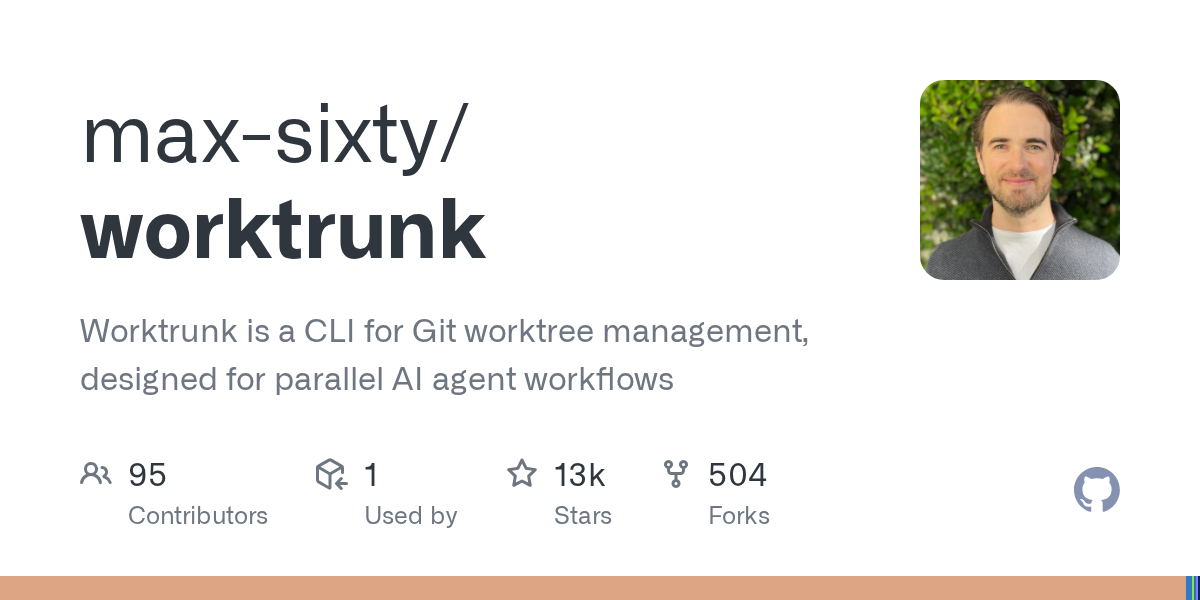
AI Agents can now handle long tasks independently, but what is truly scarce is the ability to "manage 5–10 conversations simultaneously". Worktrunk makes the git worktree experience as seamless as switching branches: the wt switch command creates an isolated working directory and launches Claude directly. It is the recognised infrastructure for parallel Agent workflows.
AI Agent 现在能独立干长活,真正稀缺的是「同时管 5-10 个会话」的能力。Worktrunk 把 git worktree 的体验做到像切分支一样顺手:wt switch 一条命令建好隔离工作目录并直接启动 Claude,是并行 Agent 工作流的公认基础设施。
Why the Parallel Agent Needs It为什么并行 Agent 需要它
Git's native worktree feature gives each Agent an independent working directory, so they don't interfere with each other. However, the native experience is extremely poor: even to create the simplest worktree, you have to type the branch name three times – git worktree add -b feat ../repo.feat, and then cd over.
Worktrunk condenses this process into a single command with three core commands: wt switch feat (switch), wt switch -c -x claude feat (create and launch Claude directly), and wt remove (clean up and delete the branch).
Addressing by branch name, with the path automatically calculated by the template. The list command wt list also provides a status summary – which worktrees have uncommitted changes, and which are running Agents – all at a glance.
git 的原生 worktree 功能让每个 Agent 拿到独立的工作目录,互不踩脚。但原生体验极差:哪怕开个最简单的工作树也要把分支名敲三遍——git worktree add -b feat ../repo.feat,再 cd 过去。
Worktrunk 用三条核心命令把这套流程压成一次敲击:wt switch feat(切换)、wt switch -c -x claude feat(新建并直接启动 Claude)、wt remove(清理并删分支)。
按分支名寻址、路径由模板自动计算,列表命令 wt list 还带状态摘要——哪个工作树有未提交改动、哪个在跑 Agent,一眼看完。
Efficiency features that go beyond basic commands超越基础命令的效率功能
Hooks: Automatically run commands at times such as when creating a working tree, before and after merging, etc. – automatically run npm install for new trees, automatically run tests before merging, and set up team conventions once.
Copy-on-write build caches: Each working tree does not have to repeatedly download node_modules. After the initial configuration, the remaining trees are ready in seconds, and disk usage is significantly reduced.
LLM Commit Message: Automatically generate commit messages from diffs, saving an extra step in the pre-merge tidy-up process.
Released in early 2026 by author maxliu and maintained by maintaining, it is now the Git worktree manager with the most stars, and it is still undergoing frequent iterations in November (currently v0.82.0).
Hooks(钩子):在创建工作树、合并前后等时机自动跑命令——新树自动 npm install、合并前自动跑测试,团队约定一次配好。
写时复制构建缓存(copy-on-write build caches):每个工作树不必重复下载 node_modules,首次配置后其余树秒级就绪,磁盘占用大幅下降。
LLM 提交信息:可自动从 diff 生成 commit message,合并前的整理工作又省一步。
作者max六十 maintaining 于 2026 年初发布,现已是 star 数最多的 git worktree 管理器,11 月仍在高频迭代(当前 v0.82.0)。
Download and Installation (Windows)下载与安装(Windows)
Click the button above to download worktrunk-win64.zip (16.91MB). After extracting it, place wt.exe in any directory in the PATH (such as C:\Windows or a custom bin directory).
Open a new terminal to verify: Enter wt list. If an (empty) list of worktrees is displayed, the installation was successful. When running for the first time, it is recommended to run wt config to review the default configuration.
macOS/Linux users should go to the Releases page of the repository to download the tar.xz package for the corresponding platform, or use the wt installer script to install in one line.
点上方按钮下载 worktrunk-win64.zip(16.91MB),解压后把 wt.exe 放进 PATH 里任意目录(如 C:\Windows 或自建 bin 目录)。
打开新终端验证:输入 wt list,能列出(空的)工作树清单即安装成功。首次运行建议执行 wt config 看一遍默认配置。
macOS / Linux 用户请到仓库 Releases 页下载对应平台的 tar.xz 包,或用 wt installer 脚本一行安装。
Get started with parallel workflows in three minutes三分钟上手并行工作流
Step 1: Run wt switch -c feat-a -x claude in the main repository directory – you will immediately get the ../repo.feat-a worktree, and Claude has already been launched in that directory.
Step 2: Open another terminal window, return to the main repository and do it again: wt switch -c feat-b -x claude. Now, the two Agents are working in isolation from each other, and neither can contaminate the other's files.
Step 3: After completing the task, use the single command wt remove feat-a to clean up the working tree and branch; if you want to keep it, commit and merge as usual. In conjunction with hooks, each new tree can also automatically install dependencies.
第一步:在主仓库目录执行 wt switch -c feat-a -x claude——立刻得到 ../repo.feat-a 工作树,且 Claude 已在该目录启动。
第二步:另开一个终端窗口,回到主仓库再来一次:wt switch -c feat-b -x claude。现在两个 Agent 各自隔离地干活,谁也污染不了谁的文件。
第三步:干完活用 wt remove feat-a 一条命令清理工作树和分支;想保留就正常提交合并。配合钩子还能让每个新树自动装依赖。
Note小提示
Worktrunk overwrites the shell prompt to display the current working tree status. It supports zsh/bash/fish. The best experience is with Windows Terminal and PowerShell. The documentation site worktrunk.dev has examples of all hooks, and it is worth spending ten minutes reading through them.
Worktrunk 会改写 shell 提示符以显示当前工作树状态,zsh/bash/fish 均支持;Windows Terminal 配合 PowerShell 体验最佳。文档站 worktrunk.dev 有全部钩子示例,值得花十分钟通读。
⬇ Download · 点击下载:Worktrunk v0.82.0 Windows x64 官方构建(含 wt.exe)
MIT / Apache-2.0 双许可 · GitHub 官方 Release 资产 · 另有 macOS 与 Linux 版本见仓库 Releases
阅读与点赞数据保存在你的浏览器本地,欢迎留下你的想法。
 今日正能量学一点,用一点;今天种下的种子,会长成明天的能力。去免费下载专区 →广告
评论 文明发言,让讨论更有价值